WhatsApp Webhook Explained: Receive Messages and Delivery Receipts in Your App
What a WhatsApp webhook is, which events it sends, how to verify each request and how to process messages reliably without losing any.
On this page
Sending WhatsApp messages from your software is only half of an integration. The other half is hearing back: the customer's reply, the moment a message is delivered, the blue ticks when it's read. A WhatsApp webhook is how your app learns about those events the instant they happen.
Below we explain how webhooks work, the events that matter, how to prove a request really came from your provider, and the patterns that stop you losing or double-processing messages.
What a WhatsApp webhook is#
A WhatsApp webhook is an HTTPS address on your server that your WhatsApp API provider calls with a JSON payload each time an event happens on your number. Instead of your app asking "anything new?" every few seconds, the provider pushes the news to you.
That difference matters in practice. Polling every 10 seconds means up to 10 seconds of delay and thousands of empty requests a day. A webhook arrives within a second or two and costs nothing when nothing happens.
The events you'll actually use#
Providers send many event types. In our experience, most businesses build on five of them. Here they are as WApenda's API names them:
| Event | When it fires | What to do with it |
|---|---|---|
messages.received | A customer sends you a message | Route it to support, a chatbot or an auto-reply |
message.sent | A message you queued has left | Store the WhatsApp message ID next to your order |
messages.update | Status changes: sent, delivered, read, or error | Update the order screen; retry or alert on errors |
session.status | The number connects, disconnects or needs a new scan | Alert your team before messages start queuing |
messages.reaction | Someone reacts to a message | Useful as a lightweight "confirmed" signal |
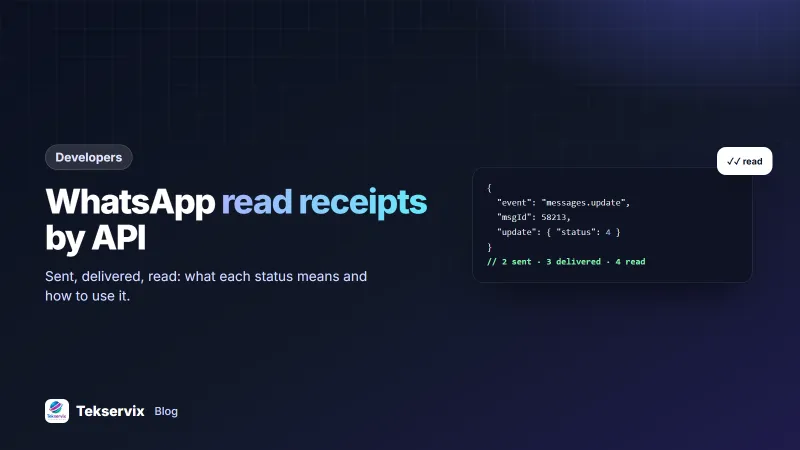
For status updates, WApenda uses the WhatsApp codes: 2 sent, 3 delivered, 4 read, 5 played (for voice notes), and 0 for an error.
Setting up the endpoint#
- Create a route such as
POST /wa-webhookin your app. It must accept JSON and be reachable over HTTPS. - Paste the URL into your device settings in the WApenda dashboard and choose the events you want.
- Copy the webhook secret shown there into an environment variable. Never commit it to your code repository.
- Send yourself a WhatsApp message and watch the request arrive in your logs.
Verify every request#
Your webhook URL isn't secret for long. It appears in logs, browser tools and error reports. Anyone who finds it can post fake "messages" unless you check where each request came from.
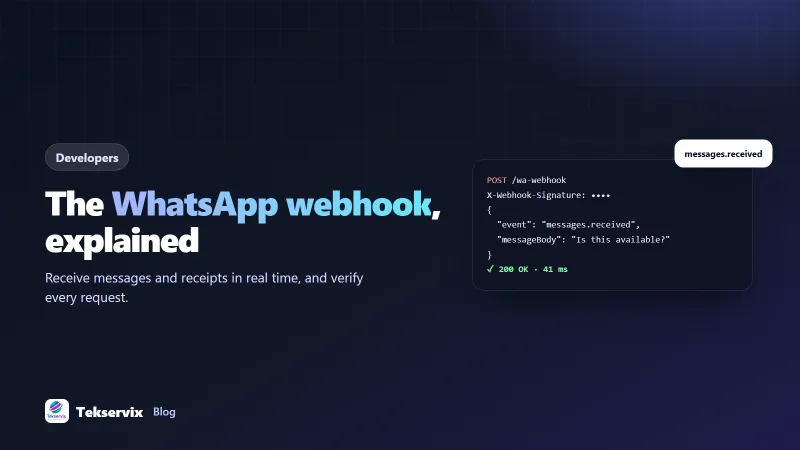
WApenda includes your device's webhook secret in an X-Webhook-Signature header. Compare it with a constant-time function, so the comparison itself doesn't leak timing hints:
// PHP
$secret = getenv('WAPENDA_WEBHOOK_SECRET');
if (!hash_equals($secret, $_SERVER['HTTP_X_WEBHOOK_SIGNATURE'] ?? '')) {
    http_response_code(401);
    exit;
}
$event = json_decode(file_get_contents('php://input'), true);
Some providers go further and send an HMAC signature computed over the body. Our SMS gateway does that, and our guide to webhook signature verification shows both patterns side by side.
Answer fast, work later#
This is the rule that prevents most webhook bugs. Providers wait only a few seconds for a 2xx response. If your handler calls an AI model, writes to three tables and sends an email before answering, it will time out, and the provider will send the same event again.
- Acknowledge first: return 200 as soon as the signature checks out.
- Queue the work: push the event into a job queue or a database table, and let a worker process it.
- Keep it idempotent: store each WhatsApp message ID and skip any you've already handled. Retries then become harmless.
WApenda retries a failed delivery three times, after roughly 4 and 30 seconds. So a short outage on your side doesn't lose messages, provided duplicates are ignored.
A worked example: order replies for an online shop#
Consider a shop that sends "Your order #1042 has shipped" through the API. The flow looks like this:
- The shop calls
/send-messageand gets backmsgId 58213, which it saves on the order. message.sentarrives with the WhatsApp message key. The shop stores it too.messages.updatewith status 3, then 4, marks the order "delivered, read" in the admin.- The customer replies "Can I change the address?".
messages.receivedarrives. The shop matches the phone number to the open order and creates a support ticket with the order attached.
Nobody on the team opened WhatsApp, and every step is logged against the order. Our guide on WhatsApp order confirmation messages covers the wording side of this flow.
Testing webhooks before you go live#
- Use a request inspector during development to see raw payloads. Then point the webhook at your real app.
- Replay saved payloads against your local handler to test edge cases like group messages and media.
- Test the failure path: make your handler return 500 once and confirm the retry is processed only once.
- Try an API tester such as the one in Tekservix developer tools to send sample JSON to your endpoint.
Monitoring webhooks in production#
A webhook that stops working fails quietly: no error on your side, just silence. Customers keep messaging, and nobody sees the replies. Add two simple alarms:
- A "last event" check. Store the time of the most recent webhook. If a normally busy number goes an hour without any event during business hours, alert someone.
- An error-rate check. Count the requests your endpoint rejects or fails to process. A sudden jump usually means a changed secret, a code deploy or a full disk.
Also watch the session.status event. When a number drops to need_scan or logged_out, no events will arrive until someone relinks it, so that event should page a person straight away.
Security checklist#
- HTTPS only, with a valid certificate.
- Check the signature header on every request, using a constant-time comparison.
- Rotate the webhook secret if it ever appears in a log or a screenshot.
- Limit request body size and reject unexpected content types.
- Don't trust message content blindly. Treat text and file links from customers as user input.
The OWASP input validation cheat sheet is a good reference for that last point.
New to the API itself? Start with the WhatsApp API for small business. SMS works the same way: an Android SMS gateway forwards incoming texts to a webhook in exactly this pattern.
Frequently asked questions
What is a WhatsApp webhook?
It is a URL on your server that receives an HTTP POST every time something happens on your WhatsApp number, such as an incoming message, a delivery receipt or a status change. Your app reacts to the event instead of repeatedly asking the API for news.
Why am I receiving the same WhatsApp webhook twice?
Providers retry when your server doesn't answer with a 2xx status quickly. Store each event's message ID and skip ones you've already processed, and acknowledge the request before doing slow work.
Do I need HTTPS for a WhatsApp webhook?
Yes. Use an https URL so message content and your secret header are encrypted in transit. Most providers refuse plain http endpoints.

Tekservix Team
The team behind Tekservix
The Tekservix Team builds and supports Tekservix: WhatsApp and SMS APIs, AI tools, invoicing, PDF and SEO tools for growing businesses. We write practical, tested guides based on what we see our customers do every day.
More articles from the Tekservix Team