WhatsApp API for Small Business: How It Works, What It Costs and How to Start
The two ways to get a WhatsApp API, what each really costs a small business, and how to send your first automated message in about ten minutes.
On this page
- What is a WhatsApp API?
- Two ways to get WhatsApp API access
- 1. The official WhatsApp Business Platform (Cloud API)
- 2. A WhatsApp API gateway on your own number
- What a WhatsApp API really costs a small business
- How to send your first WhatsApp API message (10-minute setup)
- Step 1: Create an account and start the trial
- Step 2: Link your WhatsApp number
- Step 3: Copy your API key and send a message
- Step 4: Receive replies with a webhook
- Step 5: Add auto-replies for the questions you answer every day
- A practical example: a small shop's first month
- What to look for in a WhatsApp API provider
- Common mistakes we see
- Is a WhatsApp API worth it for a small business?
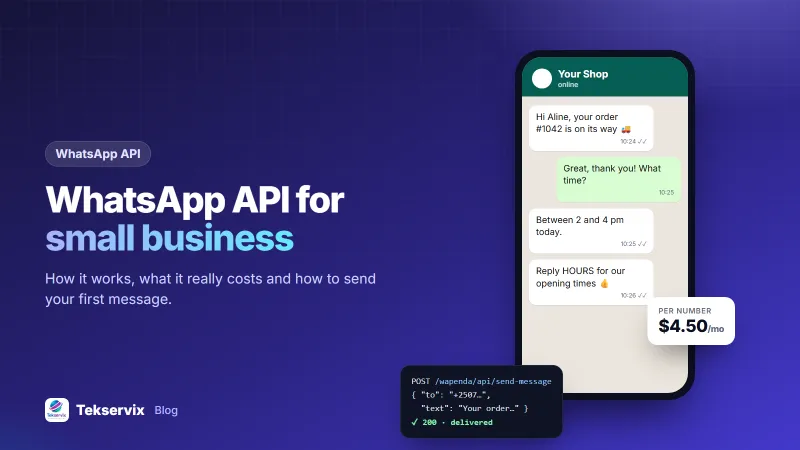
Your customers already read WhatsApp before they read email. The problem is that a phone in someone's hand can't send 300 order updates a day, answer "what are your hours?" at midnight, or push a message the moment a payment clears. A WhatsApp API fixes that by letting your own software send and receive messages for you.
This guide explains how a WhatsApp API for small business works, the two very different ways to get one, what each really costs, and how to send your first automated message in about ten minutes.
What is a WhatsApp API?#
A WhatsApp API is a connection that lets software send and receive WhatsApp messages without a person typing them. Your website, shop, CRM or server makes a web request, and the message arrives in the customer's WhatsApp like any other chat.
In practice, small businesses use it for five jobs:
- Order and delivery updates sent the moment an order changes status.
- Appointment reminders the day before a booking.
- One-time passwords and login codes.
- Auto-replies to common questions like prices, location and opening hours.
- Campaigns to customers who asked to hear about offers.
Replies come back to your system too, usually through a webhook: a web address on your server that receives each incoming message in real time.
Two ways to get WhatsApp API access#
This is the part most guides skip. There isn't one "WhatsApp API". There are two routes, and they suit very different businesses.
1. The official WhatsApp Business Platform (Cloud API)#
Meta runs the official API. You apply through Meta or a Business Solution Provider, verify your business, and get a number that lives on Meta's servers rather than on a phone.
- Templates: any message you start (outside a 24-hour window after the customer last wrote) must use a template that Meta has approved in advance.
- Pricing: Meta charges for template messages by category (marketing, utility, authentication) and by the recipient's country. Since July 2025 this is billed per delivered template message rather than per conversation. Check the current rates on Meta's pricing page.
- Setup: business verification, a display-name review and a developer to connect it. Expect days, not minutes.
It is the right choice for banks, airlines and large retailers that send millions of messages and need Meta's green-tick verification path.
2. A WhatsApp API gateway on your own number#
A gateway links the WhatsApp or WhatsApp Business number you already use, the same way WhatsApp Web does. You scan a QR code, and the gateway gives you an API key.
- No template approval: you write the message you want to send.
- Flat pricing: you pay per connected number, not per message.
- Same number: your customers keep chatting with the number they already saved.
The trade-off is honesty about rules. A gateway is not Meta's official API, so WhatsApp's normal policies apply to you directly. Message people who expect to hear from you, and never cold-blast lists you bought. Numbers that spam get banned, whatever tool sends the messages.
Rule of thumb: if you send fewer than a few thousand messages a day to customers who know you, a gateway is faster and far cheaper. If you need a verified enterprise sender for millions of messages, go official.
What a WhatsApp API really costs a small business#
Here is a realistic comparison for a shop that sends 3,000 order updates and 1,000 promotional messages a month.
| Cost item | Official Cloud API | Gateway (WApenda) |
|---|---|---|
| Monthly platform fee | Varies by provider; many charge a monthly seat or markup | $4.50 for one number |
| Order updates (utility) | Charged per template message, by country | Included |
| Promotions (marketing) | Charged per template message at the higher marketing rate | Included |
| Replies to customers within 24 hours | Free service messages | Included |
| Setup time | Days (verification and templates) | About 10 minutes |
We deliberately don't print Meta's per-message rates here, because they differ by country and change. Put your own country's numbers from Meta's rate card into the first column and the gap is usually obvious for small volumes.
How to send your first WhatsApp API message (10-minute setup)#
We'll use WApenda, the WhatsApp API gateway built into Tekservix. The steps are the same for any gateway that links your own number.
Step 1: Create an account and start the trial#
Sign in to Tekservix, top up your wallet with at least $1, and start the WApenda 3-day trial. It includes every feature on one number.
Step 2: Link your WhatsApp number#
In the WApenda dashboard, add a device. On your phone, open WhatsApp, go to Linked devices, tap Link a device and scan the QR code. If scanning is awkward, use the 8-character pairing code instead. Your phone doesn't need to stay online afterwards.
Step 3: Copy your API key and send a message#
Every device has its own API key. One request sends a text:
curl -X POST https://tekservix.com/wapenda/api/send-message \
  -H "Authorization: Bearer YOUR_API_KEY" \
  -H "Content-Type: application/json" \
  -d '{"to":"+250788123456","text":"Your order #1042 is on its way"}'
The same endpoint sends images, documents, locations, contact cards and polls. The API documentation has ready-made examples in PHP, Node.js and Python.
Step 4: Receive replies with a webhook#
Paste your server's URL into the webhook field. Every incoming message, delivery receipt and read receipt is sent there as JSON, signed with your secret so you can check it really came from us.
Step 5: Add auto-replies for the questions you answer every day#
Set keyword rules such as "price", "hours" or "location". Customers get an instant answer at 11 pm, and your team handles the conversations that need a person.
A practical example: a small shop's first month#
Take a typical online clothing shop that handles about 100 orders a day. Before automating, one staff member spent the afternoon copying tracking numbers into WhatsApp chats.
A realistic first-month setup looks like this:
- Day 1: the shop's website calls the API when an order is paid and again when it ships. Those two messages replace roughly two hours of manual work a day.
- Week 1: five auto-replies cover prices, delivery areas, sizes, returns and opening hours.
- Week 3: customers who opted in at checkout get one new-arrivals message a week, personalised with their first name.
The key detail is the opt-in tick box at checkout. It keeps the campaign list clean and keeps the number safe. Our guide to sending bulk WhatsApp messages without getting banned covers that side in depth.
What to look for in a WhatsApp API provider#
Whichever route you choose, check these before you commit:
- Pricing you can predict. Per-number pricing is easy to budget; per-message pricing grows with success.
- Webhooks with signatures. Unsigned webhooks let anyone post fake "messages" to your server.
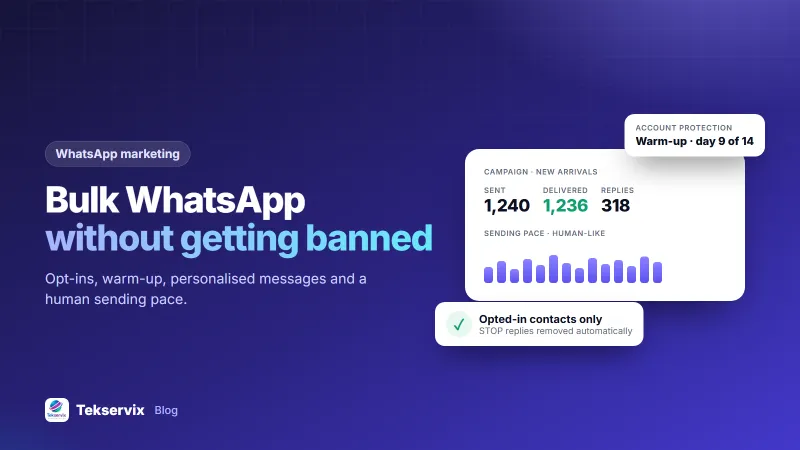
- Account protection. Human-like sending speed, a warm-up period for new numbers and duplicate checks reduce ban risk.
- Automatic opt-outs. Anyone who replies STOP should drop out of campaigns without you lifting a finger.
- Room to grow. Adding a second number for support or sales should take minutes. WApenda plans run from 1 to 25 numbers.
- Easy switching. WApenda uses the same endpoints as the WaSender API, so moving over is usually a change of base URL and key.
Common mistakes we see#
- Using a brand-new number for a big campaign on day one. New numbers need a few days of normal, two-way use first.
- Sending the same text to everyone. Identical messages at machine speed are a spam signal. Personalise with names and vary the wording.
- Ignoring replies. An API isn't a megaphone. Route replies to a person or an auto-reply, or customers stop reading.
- Keeping the API key in front-end code. Call the API from your server so nobody can copy the key from your website.
Is a WhatsApp API worth it for a small business?#
If you send the same kinds of messages every day, yes. The payback usually comes from staff time saved on order updates and repeat questions, not from marketing. Start with one message type, measure how many chats it removes from your team's day, then add the next.
You can test the whole thing on your own number for three days for $1, with nothing to install on your server beyond a single HTTP request.
Frequently asked questions
Is there a free WhatsApp API?
Meta does not charge for replies you send within 24 hours of a customer message, but template messages you start are paid, and most providers add a platform fee. Gateways like WApenda charge a flat fee per number instead, from $4.50 a month, with a 3-day trial for $1.
Can I use the WhatsApp API with my existing number?
Yes, with a gateway. You link the WhatsApp or WhatsApp Business number you already use by scanning a QR code, like WhatsApp Web. Your customers keep chatting with the number they already saved.
Do I need a developer to use a WhatsApp API?
Not for everything. Auto-replies and campaigns work from the dashboard. Automatic order updates need one HTTP request from your website or app, which most developers or plugins can add in under an hour.

Tekservix Team
The team behind Tekservix
The Tekservix Team builds and supports Tekservix: WhatsApp and SMS APIs, AI tools, invoicing, PDF and SEO tools for growing businesses. We write practical, tested guides based on what we see our customers do every day.
More articles from the Tekservix Team