WhatsApp API vs WhatsApp Business App: Which One Does Your Business Need?
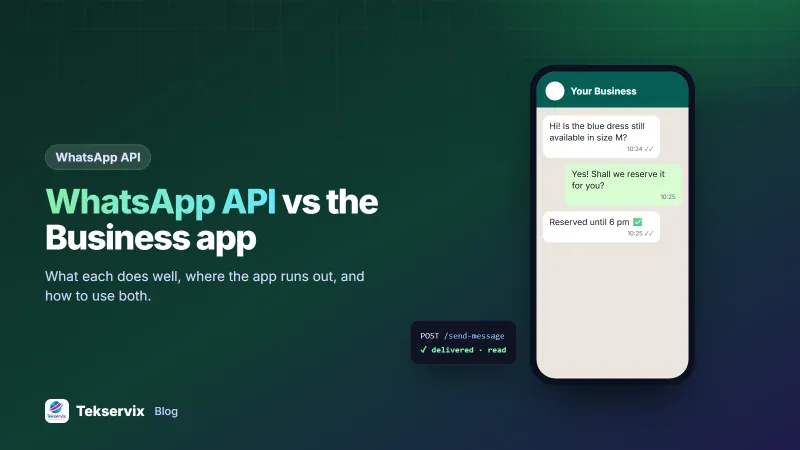
What the free WhatsApp Business app does well, where it runs out, what a WhatsApp API adds, and how to use both on the same number.
On this page
Most businesses start with the free WhatsApp Business app, and for a while it's perfect. Then orders pick up, the same questions arrive 40 times a day, and someone asks whether the website could send order updates automatically. That's usually when the WhatsApp API vs WhatsApp Business app question comes up.
The short answer: they're built for different jobs, and many businesses end up using both. Here's how to decide.
What the WhatsApp Business app does well#
The WhatsApp Business app is a free app for Android and iPhone, designed for owners who chat with customers themselves. Its strengths:
- A business profile with your address, hours, website and description.
- A catalogue of products or services customers can browse in the chat.
- Quick replies for answers you type often.
- Greeting and away messages that go out automatically.
- Labels to organise chats: new customer, paid, pending delivery.
For a shop with a few dozen chats a day, handled by one or two people, this is often all you need.
Where the app runs out#
- Everything is manual. Your website can't tell the app "send this customer their tracking number".
- Automation is basic. A greeting or away message isn't a keyword auto-reply or a chatbot.
- Broadcasts are limited. Broadcast lists only reach people who saved your number, and each send is started by hand.
- Nothing flows into your systems. Replies don't reach your CRM, order screen or helpdesk.
- Teams get messy. Several people sharing one phone makes it hard to know who answered what.
What a WhatsApp API adds#
An API lets your software send and receive WhatsApp messages. The main differences:
| WhatsApp Business app | WhatsApp API | |
|---|---|---|
| Who sends messages | A person, by hand | Your website, app or CRM, automatically |
| Order and payment updates | Typed one by one | Sent the moment the status changes |
| Incoming messages | Read on the phone | Delivered to your server by webhook |
| Auto-replies | Greeting and away messages | Keyword replies, chatbots, routing |
| Campaigns | Broadcast lists, manual | Personalised campaigns with pacing and opt-outs |
| Cost | Free | From a monthly fee per number (gateway) or per message (official API) |
Two kinds of WhatsApp API#
"WhatsApp API" covers two very different products:
- Meta's official Cloud API, through Meta or a solution provider: business verification, pre-approved message templates, and per-message pricing for messages you start.
- A gateway that links your existing number as a companion device, like WhatsApp Web. WApenda works this way: scan a QR code, get an API key, and pay a flat monthly price per number.
Our WhatsApp Business API pricing guide compares the costs in detail.
Using both on the same number#
This is the setup most small teams end up loving. With a gateway, you keep the WhatsApp Business app on your phone exactly as it is: catalogue, labels, quick replies. At the same time, your website sends order updates through the API, and new messages arrive at your webhook.
- Keep using the Business app on the owner's phone.
- In WApenda, add a device and scan the QR code from the app's Linked devices screen.
- Connect your shop or CRM with the API key.
- Set keyword auto-replies for prices, hours and location.
Messages sent through the API appear in the app's chat history, so whoever picks up the phone sees the whole conversation.
How to decide: five questions#
- Do you send the same message types many times a day? Order updates, reminders, confirmations: API.
- Do replies need to reach another system? A CRM, booking tool or helpdesk: API.
- Is more than one person answering chats? Consider an API with a shared inbox, or several numbers. See our guide to managing multiple WhatsApp numbers.
- Are most chats unique conversations? The app alone may be enough.
- Is your volume under a few dozen chats a day? Stay with the app until it hurts.
What it costs over a year#
Take a shop sending around 40 order updates a day. By hand in the Business app, at about a minute per message including looking up the order, that's roughly 20 hours a month of someone's time. Through an API gateway on a one-number plan, the same messages cost $45 a year and no staff time at all. The app stays free for the conversations that need a person.
The calculation changes for businesses with few repeat messages. If most chats are unique questions about custom orders, the time saved by automation is small, and the free app remains the better deal. Be honest about what your messages actually look like before paying for anything.
Signs you have outgrown the app#
Most businesses don't decide to move to an API in a meeting. The app just starts to hurt. Common signs:
- Staff copy and paste the same order update dozens of times a day.
- Messages get missed because only one person holds the phone.
- Customers ask "did you get my payment?" because nobody told them.
- You keep a notebook or spreadsheet of who needs a reminder tomorrow.
- You want the website or booking system to send messages by itself.
If two or more of these sound familiar, start small. Automate one message type, such as order confirmations, and keep answering customers by hand as before. Once that runs smoothly for a month, add the next one.
A typical growth path#
A home bakery might run happily on the Business app for a year. When it adds a website with online orders, it links the same number to an API gateway so order confirmations go out automatically. Later it adds keyword auto-replies for "menu" and "delivery", and a second number for wholesale customers. Each step adds automation without changing the number customers already know. Our guide to WhatsApp auto-replies is a good next read.
For costs and setup in more detail, read our guide to the WhatsApp API for small business.
Frequently asked questions
Is the WhatsApp Business app free?
Yes. The WhatsApp Business app is free to download and use on Android and iPhone. You pay only for your phone's data or Wi-Fi.
Can I use the WhatsApp Business app and an API on the same number?
With a gateway that links your number as a companion device, like WhatsApp Web, yes: you keep chatting in the app while your software sends and receives through the API. Meta's official Cloud API has its own rules about numbers that are also used in the app.
When should I move from the Business app to an API?
When you send the same kinds of messages many times a day, need replies inside your own systems, or have several people handling chats. Those are signs manual messaging is costing you more than automation would.

Tekservix Team
The team behind Tekservix
The Tekservix Team builds and supports Tekservix: WhatsApp and SMS APIs, AI tools, invoicing, PDF and SEO tools for growing businesses. We write practical, tested guides based on what we see our customers do every day.
More articles from the Tekservix Team