WhatsApp Auto Reply for Business: Messages, Keywords and When to Hand Over
Set up WhatsApp auto reply messages that help instead of annoy: away and greeting messages, keyword replies for prices and hours, examples to copy and when a human should step in.
On this page
- Three kinds of auto reply
- Using the WhatsApp Business app
- When you need more than the app
- Examples to copy
- Greeting
- Away
- Keyword: PRICE
- Keyword: HOURS
- Keyword: HUMAN
- Rules that keep auto replies helpful
- Choosing keywords
- Hand over at the right moment
- Beyond keywords: a simple chatbot
- Auto replies across several numbers
- Measure and refine
Customers message at 11 pm, during lunch, while you're serving someone else. A WhatsApp auto reply makes sure nobody is left wondering whether you saw their message, and for simple questions like prices, hours and location, it can give the full answer on the spot. Set up badly, it feels like shouting into a machine. Set up well, customers barely notice it's automatic.
Three kinds of auto reply#
| Type | Triggered by | Purpose |
|---|---|---|
| Greeting | A new or returning customer's first message | Welcome and point to common answers |
| Away | Messages outside your hours | Say when you'll reply |
| Keyword | A word such as PRICE, HOURS or MENU | Give the answer instantly |
Using the WhatsApp Business app#
The free app covers the basics under Business tools:
- Greeting message: sent to new customers or those who haven't messaged for 14 days.
- Away message: sent on a schedule or outside business hours.
- Quick replies: saved answers you insert by typing "/" and a shortcut. They save typing but aren't automatic.
WhatsApp's own help page on away messages shows where to find these settings. For many small shops, the app is enough.
When you need more than the app#
- You want keyword replies: PRICE sends the price list, HOURS sends opening times.
- Several staff answer from a computer, or you run more than one number.
- Replies should include live data, like an order status or account balance.
- You want to connect a chatbot or your own software.
With WApenda, you link your existing number by scanning a QR code, then set keyword auto-replies in the dashboard. For anything smarter, every incoming message also reaches your webhook, so your own code can reply.
Examples to copy#
Greeting#
Hi! Thanks for messaging [Shop name] 🌸 Reply MENU for bouquets and prices, DELIVERY for delivery areas, or just tell us what you need and we'll reply shortly.
Away#
Thanks for your message. We're closed now and reply from 8:00 tomorrow. For today's menu and prices, reply MENU. For urgent orders, call 0788 000 000.
Keyword: PRICE#
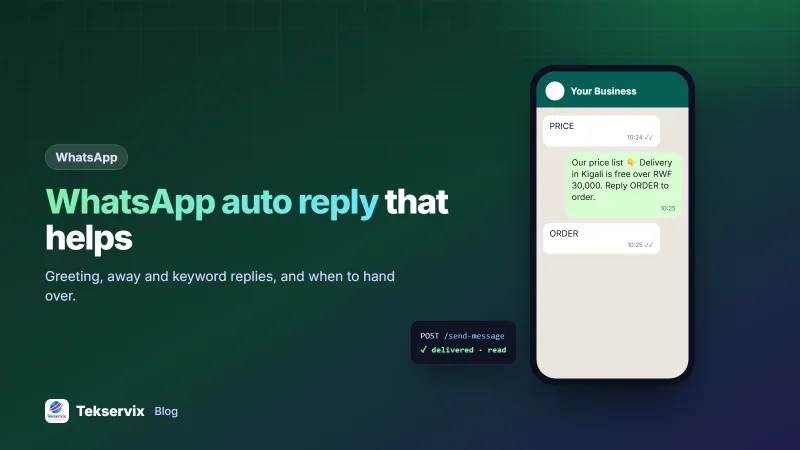
Here's our current price list 👇 [PDF] Delivery in Kigali is free on orders over RWF 30,000. Reply ORDER to place an order.
Keyword: HOURS#
We're open Monday to Saturday, 8:00 to 19:00, and Sunday 10:00 to 16:00. Find us here: [map link]
Keyword: HUMAN#
No problem, a member of our team will reply here within 30 minutes during opening hours.
More wording for common situations is in our WhatsApp business message examples.
Rules that keep auto replies helpful#
- Be honest that it's automatic when it matters. "We'll reply shortly" is fine; pretending to be a person isn't.
- Give a real answer, not just "we got your message". The best auto reply solves the question.
- Keep it short. Three or four lines at most.
- Always offer a way to reach a person.
- Don't reply to every message. Send the greeting once, not after each line the customer types.
- Avoid loops. Two automated systems replying to each other can send hundreds of messages. WApenda's auto-replies include loop protection, and your own code should too.
Choosing keywords#
Look through your last month of chats and list the questions that come up again and again. Those are your keywords. Make matching forgiving: "price", "prices", "how much" and "cost" should all trigger the price reply. Keep the list short, say five to eight keywords. Mention them in the greeting so customers know they exist.
Hand over at the right moment#
Automation should step aside when:
- the customer is unhappy or complaining,
- the question involves money already paid, a refund or a mistake,
- the customer has asked the same thing twice,
- they type HUMAN, AGENT or "talk to someone".
When that happens, stop sending automatic replies to that chat and alert a person. A frustrated customer who gets another menu is the fastest route to a bad review.
Beyond keywords: a simple chatbot#
If keyword replies aren't enough, for example you want customers to check order status by sending their order number, connect a small chatbot through the webhook. It reads the message, looks up the order and replies with the status. Our guides to WhatsApp chatbots for business and WhatsApp webhooks show the approach. Start with one task the bot does well rather than a bot that tries to do everything.
Auto replies across several numbers#
Businesses with separate numbers for sales, support and deliveries can give each its own greeting and keywords. The sales number answers PRICE and CATALOGUE; the delivery number answers WHERE and TIME. Keep the tone consistent across all of them, and make sure each reply says which team the customer has reached, so nobody asks the delivery line about a refund and waits in vain.
Measure and refine#
After a month, look at which keywords are used, which questions still reach staff, and which replies lead to orders. Add a keyword for any question staff answer ten times a week. Remove replies nobody triggers. Update prices and hours the day they change: an auto reply with last month's prices creates more work than it saves.
For a wider look at running customer conversations on WhatsApp, see our WhatsApp customer service tips.
Auto-replies work best alongside messages you send first, such as order confirmation messages.
Frequently asked questions
Can I set up WhatsApp auto reply without the API?
Yes. The free WhatsApp Business app has a greeting message, an away message and quick replies. For keyword-based answers, several numbers or replies triggered by your own systems, you need an API or gateway.
What should a WhatsApp away message say?
Say who you are, when you'll reply, and where to find urgent help or common answers. For example: 'Thanks for messaging [Shop name]. We're closed now and reply from 8 am. Menu and prices: [link].'
Will auto replies make my business look impersonal?
Not if they're short, useful and followed by a real person when needed. Customers mind being stuck with a bot far more than they mind an instant answer to a simple question.

Tekservix Team
The team behind Tekservix
The Tekservix Team builds and supports Tekservix: WhatsApp and SMS APIs, AI tools, invoicing, PDF and SEO tools for growing businesses. We write practical, tested guides based on what we see our customers do every day.
More articles from the Tekservix Team