SMS Appointment Reminders: Templates, Timing and Setup for Any Business
SMS appointment reminders reach every phone, including basic ones. Templates for clinics, salons, garages and schools, the best timing, two-way confirmations and how to automate them.
On this page
- When SMS is the better channel
- Fitting a reminder into 160 characters
- Templates by business type
- Clinic
- Salon or barber
- Garage
- School or parent meeting
- Government or NGO service
- Same-day nudge
- When to send
- Two-way: let people confirm or reschedule
- How to automate SMS reminders
- Handling reschedules
- Costs
- Consent and opt-outs
Not every customer has WhatsApp, a smartphone or mobile data, but almost everyone has a phone that receives texts. That's why SMS appointment reminders remain one of the most dependable ways to reduce no-shows. A short text the day before, with an easy way to confirm or reschedule, is simple to set up and works for clinics, salons, garages, schools and any business that books time.
When SMS is the better channel#
- Customers with basic phones, often older patients or rural clients.
- No data or poor coverage: SMS needs only a mobile signal.
- Official or urgent notices that must reach everyone, not just WhatsApp users.
- A fallback when a WhatsApp reminder isn't delivered.
If most of your customers use WhatsApp, see our guide to WhatsApp appointment reminders. Many businesses use both: WhatsApp first, SMS for those not on it.
Fitting a reminder into 160 characters#
One SMS holds 160 standard characters. Go over and it becomes two or more billed messages; add an emoji or a special letter and the limit per part drops to 70. So every word must earn its place. A reliable pattern:
[Business]: [what] [day] [date] [time]. Reply C to confirm, R to reschedule.
That's usually 80 to 110 characters, leaving room for an address or one instruction. Our guide to the SMS character limit lists which characters cause the switch to 70.
Templates by business type#
Clinic#
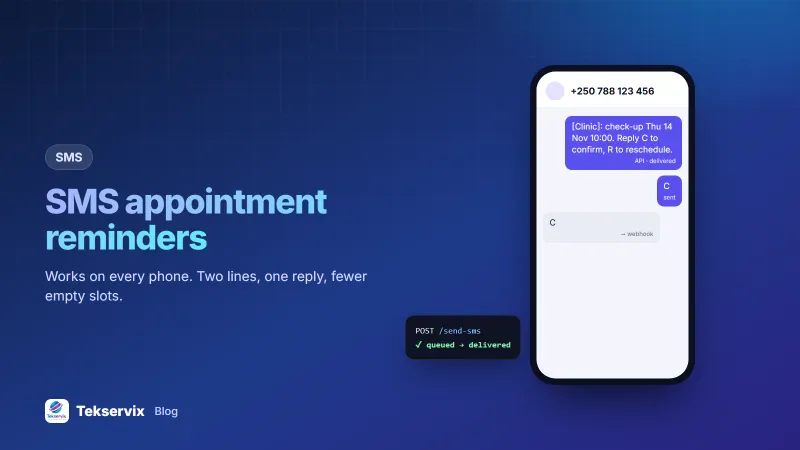
[Clinic]: check-up Thu 14 Nov 10:00. Please arrive 10 min early. Reply C to confirm, R to reschedule.
Salon or barber#
[Salon]: your haircut with Eric is tomorrow 15:30. Reply C to confirm or R to change the time.
Garage#
[Garage]: service for RAB 123C booked Mon 09:00. Bring the logbook. Reply C to confirm, R to rebook.
School or parent meeting#
[School]: parent meeting for Grace (P4) Fri 16:00, Room 3. Reply Y if attending, N if not.
Government or NGO service#
[Office]: your appointment is Tue 12 Nov 11:00 at Remera office. Bring your ID. Reply R to reschedule.
Same-day nudge#
See you at 10:00 today at [Business], KG 11 Ave. Call 0788 000 000 if you're running late.
Keep private details out of reminders: name the appointment type broadly ("check-up", "consultation"), never a diagnosis or test.
When to send#
- At booking: a confirmation with date, time and place.
- A week ahead for appointments booked long in advance.
- The day before, in the afternoon: the main reminder, asking for C or R.
- A couple of hours before: optional, short, practical.
Avoid early mornings and late evenings. Some countries also set rules on the hours for commercial texts, so check with your regulator.
Two-way: let people confirm or reschedule#
Asking for a reply turns a reminder into information. A "C" tells you the slot is safe; an "R" gives you a day to fill the gap. For replies to work, send from a number that can receive texts. With a phone-based gateway such as SMS Gora, reminders go out from your own SIM and replies come back to the same number and into your system.
Make reply matching forgiving: accept C, c, Confirm, Yes and 1 as confirmations. Anything else goes to a person.
How to automate SMS reminders#
- Link an Android phone with a SIM to SMS Gora by scanning a QR code in the dashboard.
- Each afternoon, a scheduled job in your booking system finds tomorrow's appointments.
- Send each reminder through the API:
POST https://tekservix.com/smsgora/api/v1/devices/42/send-sms x-api-key: sgk_your_key {"recipients": ["+250788123456"], "message": "[Clinic]: check-up Thu 14 Nov 10:00. Reply C to confirm, R to reschedule."} - Receive replies on your webhook and update the booking. Our guide to receiving SMS by webhook has code for PHP, Node and Python.
No booking software? You can still run reminders from the dashboard: upload tomorrow's list as a CSV with names and times, and send a personalised campaign in a couple of minutes. See personalised bulk SMS.
Handling reschedules#
When someone replies R, contact them quickly with two or three alternative times, by text or a short call. Then offer the freed slot to people on a waiting list. The reminder has done its job: you learned about the gap while there was still time to fill it.
Costs#
With a phone gateway, each reminder is billed by your operator at your SIM's rate, often much lower with an SMS bundle. A clinic sending 40 reminders a day sends about 1,000 texts a month; check what that costs on your operator's bundles. SMS Gora adds a flat monthly fee per phone, from $3.99, with no per-message charge on top. Compare that with the cost of a single missed appointment, and reminders usually pay for themselves quickly.
Consent and opt-outs#
Customers who book expect reminders about that booking, but ask at booking how they'd like to be reminded, and record it. Keep reminders separate from promotions. If someone replies STOP, stop all non-essential texts to them. The Rwanda Utilities Regulatory Authority and similar regulators elsewhere set the rules for commercial messages in each country.
Frequently asked questions
Why use SMS instead of WhatsApp for reminders?
SMS works on every phone, needs no internet connection and no app. For customers with basic phones, limited data or no WhatsApp, it's the only channel that reliably reaches them. Many businesses use WhatsApp by default and SMS as a fallback.
How long should an SMS reminder be?
Keep it within 160 standard characters so it's billed as one message. Emoji and some special letters reduce the limit to 70 characters per part.
Can customers reply to confirm an SMS reminder?
Yes, if you send from a number that can receive texts, such as your own SIM through a phone-based gateway. Replies like C or 1 can be read automatically by webhook and update the booking.

Tekservix Team
The team behind Tekservix
The Tekservix Team builds and supports Tekservix: WhatsApp and SMS APIs, AI tools, invoicing, PDF and SEO tools for growing businesses. We write practical, tested guides based on what we see our customers do every day.
More articles from the Tekservix Team