WhatsApp Appointment Reminders: Templates, Timing and Automation
Cut no-shows with WhatsApp appointment reminders: when to send them, templates for clinics, salons and services, confirm-or-reschedule replies and how to automate them.
On this page
Every missed appointment is an empty chair you can't sell again. Clinics, salons, driving schools, tutors and repair services all lose money to people who simply forgot. WhatsApp appointment reminders work well because the message lands where people already look all day, and they can answer it with a single tap.
This guide covers when to send reminders, templates for common businesses, how to handle "I can't make it", and how to send them automatically from your booking system.
Why WhatsApp works for reminders#
- It gets read. WhatsApp messages are usually opened within minutes, while emails can sit unread for days.
- It's two-way. A customer can confirm, cancel or ask "can I come at 11 instead?" in the same chat.
- It carries more than text. A map pin, a preparation sheet or a PDF of the booking can go in the same message.
Research on reminders in healthcare supports the basic idea. A Cochrane review of mobile phone reminders found that text reminders increased attendance compared with no reminder. The channel matters less than sending something at the right time with an easy way to respond.
When to send#
| Reminder | When | Purpose |
|---|---|---|
| Booking confirmation | Right after booking | Confirms date, time and place; catches mistakes early |
| Early reminder | 7 days before (bookings made weeks ahead) | Gives time to reschedule and refill the slot |
| Day-before reminder | Afternoon of the previous day | The main reminder; asks for confirmation |
| Same-day nudge | 1 to 2 hours before | Short and practical: time, place, parking |
Don't send the day-before reminder late at night. Late afternoon works for most people: they can check their plans and reply before the evening.
Templates#
Clinic#
Hi {{name}}, this is {{clinic}}. Reminder: your appointment with {{doctor}} is tomorrow, {{date}} at {{time}}. Please bring your insurance card. Reply 1 to confirm or 2 to reschedule.
Salon or barber#
Hi {{name}}! Your {{service}} at {{salon}} is tomorrow at {{time}} with {{stylist}}. Reply 1 to confirm, 2 to change the time. See you soon 💇
Tutor or driving school#
Hi {{name}}, your {{lesson}} lesson is on {{day}} at {{time}}, meeting point: {{place}}. Reply 1 if you're coming, 2 if you need another time.
Home service visit#
Hi {{name}}, our technician {{tech}} will visit {{address}} tomorrow between {{window}} to {{job}}. Please make sure someone is home. Reply 1 to confirm, 2 to rebook.
Same-day nudge#
See you at {{time}} today, {{name}}. We're at {{address}}: {{map_link}}
For more wording ideas, see our collection of WhatsApp business message examples.
What makes a reminder work#
- Name the business first. People get messages from many numbers.
- Date, time and place in the first two lines. That's what shows in the notification.
- One clear action: numbered replies are easy to answer and easy for software to read.
- Anything they must bring or do: fasting before a blood test, documents, the right shoes for a driving lesson.
- Keep private details out. For healthcare, don't name the condition or test in the message. "Your appointment with Dr {{doctor}}" is enough.
Handle "I can't make it" well#
A reschedule reply is good news: you've learned about the gap a day early. Respond quickly with two or three open times, or a booking link. Then offer the freed slot to someone on your waiting list. Over a month, refilled slots are often worth more than the reminders prevented.
For people who don't reply at all, a short follow-up call from reception on the morning of the appointment catches most of the remaining no-shows.
A worked example#
Imagine a physiotherapy practice with 12 appointments a day and roughly two no-shows. It starts sending a day-before reminder at 16:00 with "reply 1 or 2", and a same-day nudge with a map link. Replies of "2" go to the receptionist, who offers the slot to patients waiting for an earlier date. The practice tracks three numbers for a month: confirmations, reschedules and no-shows. The point isn't a guaranteed result, it's that the practice can now see exactly where the gaps come from and act on them.
How to automate reminders#
- Connect your WhatsApp number to WApenda by scanning a QR code. Your customers see your usual business number.
- Schedule a job in your booking system (or a small script run by cron) that finds tomorrow's appointments every afternoon.
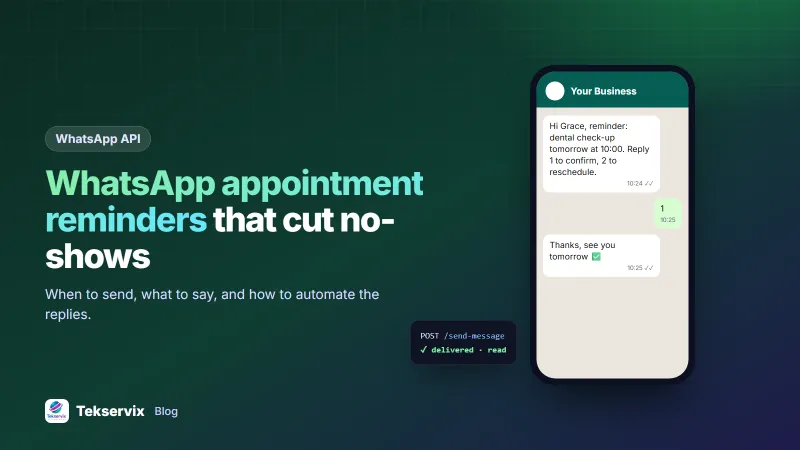
- Send each reminder with one API call:
POST https://tekservix.com/wapenda/api/send-message Authorization: Bearer wpk_your_key {"to": "+250788123456", "text": "Hi Grace, reminder: dental check-up tomorrow at 10:00. Reply 1 to confirm, 2 to reschedule."} - Receive replies by webhook and mark the appointment confirmed on "1", or flag it for reception on "2". Our WhatsApp webhook guide shows how.
If your team writes code in Python, our guide to sending WhatsApp messages with Python includes a ready cron example. Clinics will find more specific ideas in WhatsApp for clinics.
Measure the no-show rate#
Reminders are worth the effort only if fewer people miss appointments, so measure it. Before you start, count last month's no-shows as a share of all bookings. After the reminders have run for a month, count again. Keep track of three numbers each week: bookings, no-shows, and appointments cancelled or moved after a reminder.
That third number matters more than it looks. A patient who replies "I can't come" the day before is not a failure; it gives you a slot to offer someone on the waiting list. If cancellations after reminders go up while no-shows go down, the reminders are doing their job. If no-shows stay the same, try sending earlier, or adding a second, shorter reminder on the morning of the appointment.
Consent and good manners#
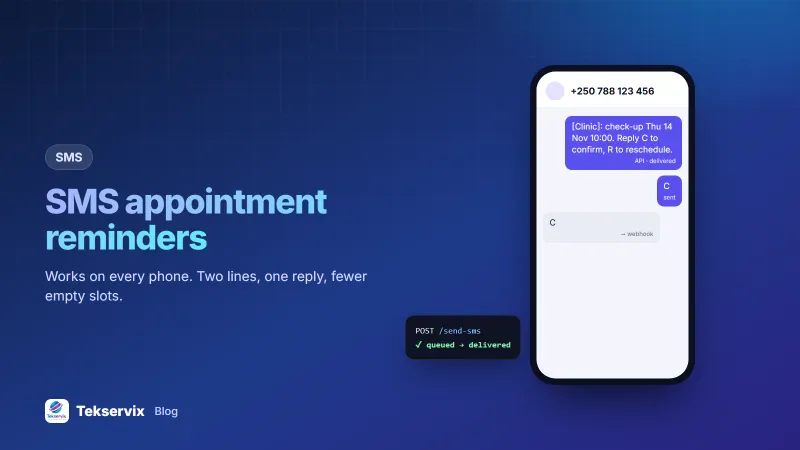
Ask for permission to send reminders on WhatsApp when the appointment is booked, and note it. Keep reminders separate from promotions: someone who agreed to appointment reminders didn't agree to your weekly offers. If a customer asks you to stop, stop. Customers without WhatsApp can get the same reminder by SMS through SMS Gora, sent from your own number.
Frequently asked questions
When should I send a WhatsApp appointment reminder?
Send one the day before, in the late afternoon, and a short one about two hours before the appointment. For bookings made weeks ahead, add a reminder a week before so people can reschedule early.
Do WhatsApp reminders reduce no-shows?
Studies of text reminders in healthcare have found fewer missed appointments when patients are reminded, and WhatsApp messages are read quickly. The biggest gains come from letting people reply to reschedule, which frees the slot for someone else.
Can customers reply to a WhatsApp reminder?
Yes, and they should be able to. Ask them to reply 1 to confirm or 2 to reschedule. With an API and a webhook, those replies can update your booking system automatically.

Tekservix Team
The team behind Tekservix
The Tekservix Team builds and supports Tekservix: WhatsApp and SMS APIs, AI tools, invoicing, PDF and SEO tools for growing businesses. We write practical, tested guides based on what we see our customers do every day.
More articles from the Tekservix Team