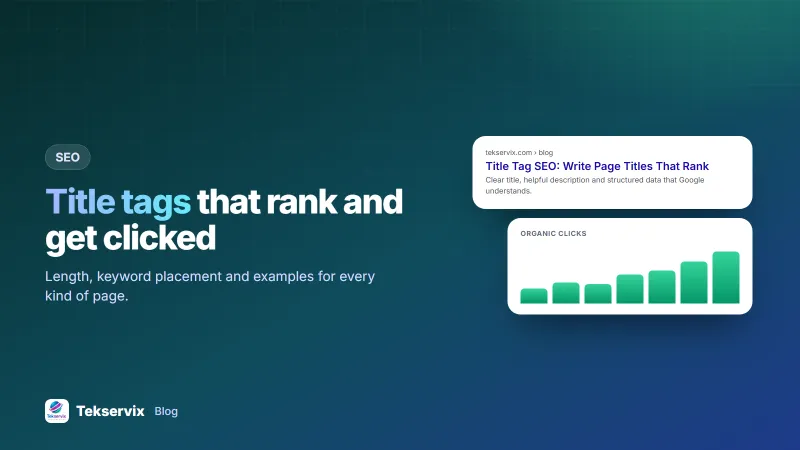
Title Tag SEO: How to Write Page Titles That Rank and Get Clicked
The title tag is the blue headline in Google's results. Learn how long it should be, where the keyword goes, and see examples for home, product, service and blog pages.
On this page
Of all the things you can change on a page, the title tag probably gives the best return for five minutes of work. It's the clickable headline in Google's results, the text in the browser tab, and the default headline when your page is shared. A clear title helps Google understand the page and helps searchers decide to click on it rather than the result below.
What a title tag is#
A title tag is the HTML element that names a page. It sits in the page's <head> and is shown as the headline of your search result.
<title>Split PDF: Extract Pages From a PDF Online | Tekservix</title>Visitors don't see it on the page itself, which is why it's so often left as "Home" or the default from a website builder.
Why it matters for SEO#
- Relevance: the title is one of the strongest signals of what a page is about.
- Clicks: two pages in similar positions can get very different traffic depending on how their titles read.
- Clarity in tabs and bookmarks: a good title helps people find your page again.
Google's own guidance on influencing title links is short and worth reading: unique, descriptive, concise titles for every page.
A simple formula#
Main keyword + what makes this page useful + brand.
- "Bulk SMS for Small Business: Costs, Setup and Examples | Tekservix"
- "Plumber in Kicukiro: Same-Day Repairs, Fixed Prices | Brand"
- "Leather Sandals for Women, Handmade in Kigali | Brand"
Put the main keyword near the start, because that's what searchers scan for and what survives if the title is cut off. The brand goes at the end, except on your home page, where it can lead.
Length: how long is too long?#
Google cuts off titles based on pixel width, roughly 600 pixels on desktop. In practice that's about 50 to 60 characters. Wide letters like W and M take more space than i and l, so a 58-character title in capitals can be cut while a 62-character one in lowercase fits. Don't count obsessively. Just make sure the first 50 characters say everything important.
Very short titles have the opposite problem. "Services" or "Products" wastes the space and tells nobody anything.
Examples by page type#
| Page | Weak title | Better title |
|---|---|---|
| Home | Home | Brand: Accounting and Payroll for Small Businesses in Kigali |
| Service | Our Services | Website Design for Small Businesses, From RWF 450,000 | Brand |
| Product | Product 1042 | Stainless Steel Water Bottle 750 ml, Keeps Cold 24 h | Brand |
| Blog post | Blog | How to Write a Quotation (With a Free Template) | Brand |
| Location | Contact | Visit Our Remera Showroom: Hours, Map and Parking | Brand |
Why Google sometimes changes your title#
Google may show a different title than the one you wrote, often by using your H1 or anchor text from links. It usually happens when the title is:
- much too long, or stuffed with keywords;
- the same across many pages;
- missing or generic ("Untitled", "Home");
- out of step with what the page actually says.
You can't force Google to use yours, but a title that accurately and briefly describes the page is rewritten far less often.
Mistakes to avoid#
- Keyword stuffing: "Cheap Shoes, Buy Shoes, Best Shoes Kigali, Shoes Online" looks spammy to people and to Google.
- Duplicate titles on similar pages, such as every product page called "Shop".
- Clickbait that the page doesn't deliver. People return to the results quickly, and trust drops.
- Two pages targeting the same keyword. They compete with each other. Choose one page per topic.
- Leaving the CMS default. Many website builders use the site name for every page until you change it.
Numbers, dates and brackets#
Specific details in a title tend to earn attention: "7 templates", "from RWF 450,000", "2026 prices". A bracket such as "(With Examples)" or "[Free Template]" tells the searcher what format to expect. Use these only when they're true. If the page says "2026", keep it updated, and don't promise a free template that sits behind a sign-up form.
Title tag and meta description work together#
The title wins attention and the meta description explains why to click. Write them as a pair: if the title names the topic, the description can add the benefit, the format or the price. Don't repeat the title word for word in the description.
Testing a new title#
Changing a title is one of the fastest SEO experiments you can run, because Google usually picks up the change within days. Choose a page that already ranks on page one but gets fewer clicks than its position suggests. Write a new title that is more specific: add the number of items, the year, the price or the problem it solves. Record the date and the old title.
After four weeks, compare clicks and click-through rate in Search Console with the four weeks before. Change only the title, not the content, so you know what caused the difference. If clicks fall, change it back; nothing is lost. Over a few rounds, you learn what your audience responds to, which is worth more than any general formula.
How to audit your titles#
- List all your pages and their titles. A crawl from an SEO audit gives you this in a few minutes.
- Flag missing, duplicate, very short and very long titles.
- In Google Search Console, find pages with many impressions but a low click-through rate. Those titles are your best candidates for rewriting.
- Change a few at a time and check the effect after two to four weeks.
The Tekservix SEO tools include a site audit that flags title problems and a meta tag generator that writes the title and description tags for you to paste into your page.
Frequently asked questions
How long should a title tag be?
Aim for about 50 to 60 characters. Google truncates titles by pixel width, not character count, so keep the most important words at the start where they're always visible.
Should every page have a unique title tag?
Yes. Duplicate titles make it hard for Google to tell pages apart and for searchers to choose the right one. Each page should describe its own content.
Is the title tag the same as the H1?
Not necessarily. The title tag appears in search results and browser tabs; the H1 is the main heading on the page. They should match in meaning, but the title can be shorter and include your brand.

Tekservix Team
The team behind Tekservix
The Tekservix Team builds and supports Tekservix: WhatsApp and SMS APIs, AI tools, invoicing, PDF and SEO tools for growing businesses. We write practical, tested guides based on what we see our customers do every day.
More articles from the Tekservix Team