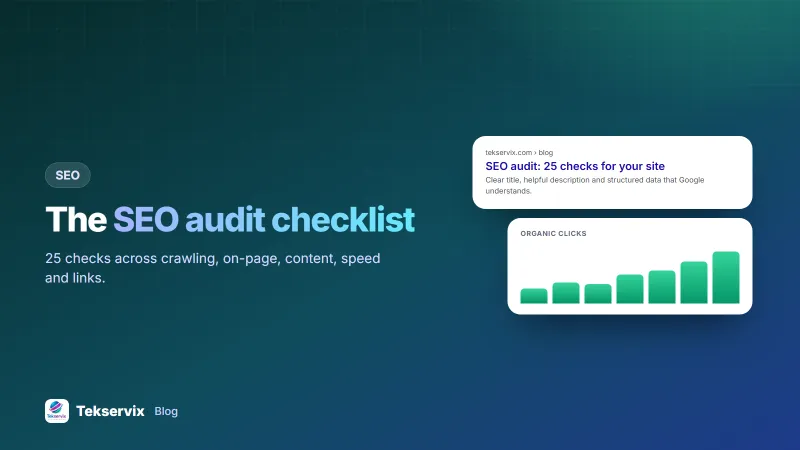
SEO Audit Checklist: 25 Checks to Run on Your Website This Week
A practical SEO audit checklist in five groups: crawling, on-page, content, speed and links, with what to fix first and the free tools to check each item.
On this page
- Before you start
- 1. Crawling and indexing (can Google find you?)
- 2. On-page SEO (does Google understand each page?)
- 3. Content (is it worth ranking?)
- 4. Speed and experience (will visitors stay?)
- 5. Links (does the web vouch for you?)
- What to fix first
- Which tool checks what
- A worked example
- How long an audit takes
- Keep it going
Most websites don't need a 90-page SEO report. They need someone to check the 25 things that actually decide whether Google can find, understand and trust their pages, and then fix the few that are broken. This SEO audit checklist is that list, grouped so you can work through it in an afternoon.
Tick each item, note what fails, and use the "fix first" order at the end.
Before you start#
- Verify your site in Google Search Console. It's free and shows how Google actually sees your pages.
- Pick 10 pages that matter: your home page, main product or service pages and your top blog posts. Audit those in depth; skim the rest.
- Open an on-page checker such as the page audit in Tekservix SEO tools to speed up the on-page checks.
1. Crawling and indexing (can Google find you?)#
- Important pages are indexed. Search
site:yourdomain.comand check Search Console's page indexing report. - No accidental noindex. Check key pages for a
noindexrobots meta tag left over from development. - robots.txt isn't blocking important folders. Our robots.txt guide shows what to look for.
- An XML sitemap exists and is submitted. It should list only live, indexable pages.
- One version of the site. http, https, www and non-www should all redirect to a single version.
- Canonical tags point to the right URL, especially on pages with filters or tracking parameters.
2. On-page SEO (does Google understand each page?)#
- Unique title tag on every page, about 50 to 60 characters, with the main keyword near the start.
- A meta description that earns the click, 120 to 158 characters. See our meta description guide.
- One clear H1 that matches the page's topic.
- Logical H2 and H3 headings that outline the page.
- Descriptive URLs:
/whatsapp-api-pricing, not/page?id=482. - Images have alt text that describes them.
- Structured data where it fits: Organization, Product, Article, FAQ or LocalBusiness.
3. Content (is it worth ranking?)#
- Each important page targets one main search intent, and no two pages compete for the same keyword.
- Content answers the question fully, with examples, numbers and steps, not general claims.
- No thin pages: tag pages, empty categories or near-copies should be improved, merged or set to noindex.
- No duplicate text copied from suppliers or other sites.
- Dates and prices are current. Outdated facts lose trust quickly.
- Clear authorship and contact details, so readers know who stands behind the content.
4. Speed and experience (will visitors stay?)#
- Core Web Vitals pass on mobile. Test key pages in PageSpeed Insights; our Core Web Vitals guide explains each metric.
- Images are compressed and served in modern formats like WebP.
- The site works well on a phone: readable text, tappable buttons, no sideways scrolling.
5. Links (does the web vouch for you?)#
- No broken internal links or redirect chains.
- Important pages get internal links from related pages, with descriptive anchor text.
- Your backlink profile is clean: links from relevant sites, no obvious spam networks.
What to fix first#
Not every failed check matters equally. Work in this order:
- Anything that blocks indexing (checks 1 to 6). Nothing else matters if Google can't see the page.
- Titles and descriptions on your 10 key pages (7 to 8). They're quick to fix and affect clicks immediately.
- Content gaps on pages close to page one. In Search Console, find pages in positions 8 to 20 and improve them.
- Speed problems on mobile (20 to 22).
- Links (23 to 25). An ongoing effort, not a one-day fix.
Which tool checks what#
| Checks | Free tool |
|---|---|
| Indexing, sitemaps, canonicals (1 to 6) | Google Search Console |
| Titles, descriptions, headings, alt text, schema (7 to 13) | An on-page audit tool, or your browser's page source |
| Content gaps and duplicates (14 to 19) | Search Console queries report, a plagiarism checker |
| Speed and mobile (20 to 22) | PageSpeed Insights |
| Links (23 to 25) | Search Console links report, a backlink checker |
Record each result in a simple spreadsheet: page, check, pass or fail, and the fix. Re-run the same sheet next quarter and you'll see progress at a glance, which is far more useful than a one-off report.
A worked example#
A small hotel website we might audit could show: rooms indexed, but the booking page carries a leftover noindex; every page titled "Home | Hotel"; a 4 MB hero photo; and no internal links to the restaurant page. Four fixes, a couple of hours of work, and the pages that bring bookings are finally in a position to rank.
How long an audit takes#
For a small business site of 20 to 100 pages, a first audit with this checklist takes most people one working day: two hours on crawling and indexing, two on titles and content, an hour on speed, and an hour to write up what to fix. Fixing things takes longer, often a few weeks of small changes alongside normal work.
Don't try to fix everything at once. Group the findings into three lists: problems that stop pages being found (fix this week), problems that hold rankings back (fix this month), and polish (fix when there's time). A short list that gets done beats a long report that sits in a folder. Re-run the crawl after each batch of fixes, so you can see that the numbers actually moved.
Keep it going#
Put a 30-minute check in your calendar each month: new errors in Search Console, the speed of your top pages, and positions for your main keywords. Tekservix SEO tools include a page audit, PageSpeed with Lighthouse scores, keyword ideas from real Google searches, and rank tracking, so you can run most of this checklist in one place.
If you write pages with AI help, edit them with our tips to make AI writing sound human; thin, generic text is one of the first things an audit turns up. Large downloads slow pages too, so compress PDFs before you upload them.
Frequently asked questions
How often should I run an SEO audit?
Run a full audit once or twice a year, and a quick check after any redesign, migration or big content change. Keep an eye on Search Console monthly for new errors.
What should I fix first after an SEO audit?
Fix anything that stops Google finding or indexing important pages first, such as noindex tags, blocked URLs or broken redirects. Then fix titles and descriptions on your most valuable pages, then speed.
Can I do an SEO audit for free?
Yes. Google Search Console, PageSpeed Insights and a free on-page checker cover most of what a small website needs. Paid tools add scale, not different basics.

Tekservix Team
The team behind Tekservix
The Tekservix Team builds and supports Tekservix: WhatsApp and SMS APIs, AI tools, invoicing, PDF and SEO tools for growing businesses. We write practical, tested guides based on what we see our customers do every day.
More articles from the Tekservix Team