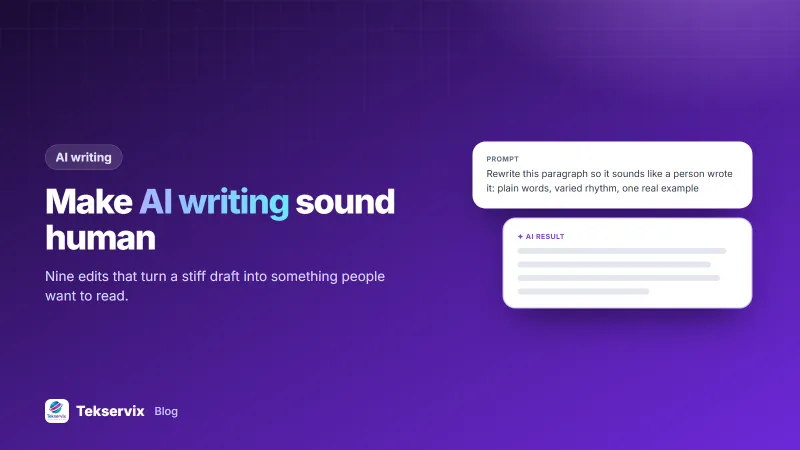
How to Make AI Writing Sound Human: 9 Edits That Actually Work
Why AI drafts sound stiff, the nine edits that make them read like a person wrote them, and where a humanizer tool helps and where it can't.
On this page
- Why AI drafts sound robotic
- 1. Delete the stock phrases
- 2. Vary the rhythm on purpose
- 3. Replace generic claims with a real example
- 4. Take a position
- 5. Use the words your customers use
- 6. Cut the throat-clearing intro
- 7. Break up the list habit
- 8. Add first-hand detail
- 9. Read it out loud
- A before and after example
- Where a humanizer tool helps
- Where no tool can help
- A 20-minute workflow for one article
You can spot a raw AI draft in two lines. Every sentence is the same length, every paragraph opens with a transition, and nothing specific ever happens. If you want to make AI writing sound human, the fix isn't a magic rewrite. It's a handful of edits a good editor would make anyway.
Below are the nine edits we use on our own drafts, in the order that gives the biggest improvement for the least effort. At the end, we cover where a humanizer tool helps and where it can't.
Why AI drafts sound robotic#
Language models predict the most likely next word. That makes their writing smooth but average: common phrases, safe claims and an even rhythm. Readers feel it as blandness. AI detectors measure it as low "burstiness" (little variation in sentence length) and predictable word choice.
The fix, then, is to add what averages remove: variation, specifics and a point of view.
1. Delete the stock phrases#
Start with a search for the usual suspects: "moreover", "furthermore", "in today's fast-paced world", "it's important to note", "plays a vital role", "a wide range of". Delete them or replace them with a plain word. Most sentences get shorter and stronger.
2. Vary the rhythm on purpose#
Read a paragraph aloud. If every sentence has the same beat, break one into two short ones and join two others. A three-word sentence after a long one wakes the reader up.
3. Replace generic claims with a real example#
"Automation saves businesses time" is filler. "A salon that switches to automatic texts stops losing Monday mornings to reminder calls" is a picture the reader can see. Every section should have at least one concrete example, number or case, even a small one.
4. Take a position#
AI hedges: "there are pros and cons", "it depends on your needs". People recommend. Say what you'd choose and why, then name the exception. "For most shops, SMS reminders beat email. The exception is anything with an attachment."
5. Use the words your customers use#
If your customers say "top up" and "MoMo", don't write "replenish" and "mobile payment solution". Pull phrases from real support chats and reviews. It makes copy sound local and human, and it matches what people type into search.
6. Cut the throat-clearing intro#
Many AI drafts spend 100 words announcing what the article will do. Delete the first paragraph and see if anything is lost. Usually the second paragraph is the real opening.
7. Break up the list habit#
AI loves bulleted lists of three. Lists help scanning, but a page made only of lists reads like a slide deck. Turn one list per section back into a short paragraph that explains how the points connect.
8. Add first-hand detail#
This is the edit no tool can do for you. What happened when you tried it? What did a customer say? What number did you see? Google's guidance on AI-generated content is clear: it rewards content that is helpful and original, however it's produced. First-hand experience is the most original thing you have.
9. Read it out loud#
The fastest quality check there is. Anywhere you stumble, a reader will too. Anywhere you'd never say the sentence to a customer, rewrite it.
A before and after example#
Here is a typical AI paragraph about delivery updates:
In today's competitive market, it's important to note that timely communication plays a vital role in customer satisfaction. Moreover, businesses can leverage automated notifications to enhance the overall experience.
And the same idea after the edits above:
Customers don't mind waiting. They mind not knowing. A single text saying "Your order leaves our shop at 2 pm" cuts the "where is my order?" calls, and it takes your system a second to send.
Same message, half the words, and a reader can picture it. Notice what changed: the stock phrases went, the rhythm varies, and there's a concrete moment instead of a general claim.
Where a humanizer tool helps#
Edits 1, 2 and 7 are mechanical, and that's exactly what a humanizer does well. The Tekservix AI Humanizer rewrites a draft with plainer vocabulary and a more varied rhythm. It keeps facts, names, numbers and links intact, and lets you pick a tone (casual, friendly, professional, formal or academic) and a strength.
It also checks each rewrite with our AI detector and shows the score before and after. On typical marketing drafts, we see the detector's AI-likelihood fall from around 50 to 65 down to roughly 20 to 35. Human-written text scores in that same lower range on this detector, so a lower number doesn't mean "perfect".
A humanizer is for polishing your own content: blog posts, product pages, emails. It's not a way around a school's or employer's rules on AI use. If a rule says "no AI", a rewrite doesn't change that.
Where no tool can help#
Edits 3, 4, 5 and 8 need you. A tool can't invent a customer story that didn't happen, and it shouldn't try. If a draft has no specifics after humanizing, it's still thin content, and readers and Google will treat it that way.
A 20-minute workflow for one article#
- 5 minutes: generate an outline and first draft with an AI writer.
- 5 minutes: run it through the humanizer at "balanced" strength.
- 8 minutes: add two real examples, one opinion and your customers' own phrases.
- 2 minutes: read it aloud and cut anything you stumble on.
If you publish often, our AI blog writing workflow expands this into a full process from keyword to publish. And if you're wondering how much to trust the detector score at the end, read how accurate AI detectors really are.
The same rules apply to short business messages. A bulk SMS or a WhatsApp broadcast written in a stiff, generic voice gets ignored, while one that sounds like a person gets replies.
Frequently asked questions
Can Google tell if content is written by AI?
Google says it rewards helpful, original content however it's produced, and penalises content made mainly to manipulate rankings. The goal isn't to hide AI use but to make the content genuinely useful, accurate and specific.
Does an AI humanizer make text undetectable?
It usually lowers an AI detector's score substantially, but no tool guarantees a result, and detectors disagree with each other. Adding your own examples, numbers and opinions does more than any rewrite.
What makes text sound AI-generated?
Predictable sentence rhythm, stock transitions like 'moreover' and 'furthermore', generic claims without examples, and a neutral tone that never takes a position.

Tekservix Team
The team behind Tekservix
The Tekservix Team builds and supports Tekservix: WhatsApp and SMS APIs, AI tools, invoicing, PDF and SEO tools for growing businesses. We write practical, tested guides based on what we see our customers do every day.
More articles from the Tekservix Team