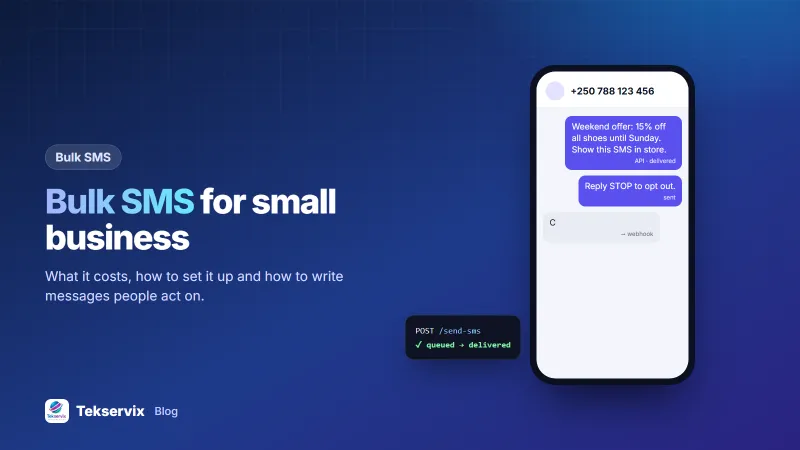
Bulk SMS for Small Business: A Practical Guide to Cost, Setup and Results
When bulk SMS works for a small business, how to pick between a bulk SMS provider and your own phone gateway, and how to write campaigns people act on.
On this page
A text message still reaches phones that WhatsApp, email and social media miss: the basic handset, the customer with no data bundle, the phone that's been offline all day. That's why bulk SMS for small business keeps earning its place, for reminders, order updates and short offers that need to land today.
This guide covers what bulk SMS costs, the two ways to send it, how to build a list people are happy to be on, and how to write messages that get a response.
When bulk SMS is the right channel#
SMS isn't the answer for everything. It works best when the message is short, timely and useful on its own.
- Reminders: appointments, deliveries, payment due dates, class times.
- Transactional updates: "Your order is ready for collection."
- Short, local offers: a weekend sale, a new stock arrival, an event tomorrow.
- Reaching everyone: audiences where not everybody uses WhatsApp or has data.
For long, visual or two-way conversations, WhatsApp usually does better. Our comparison of SMS vs WhatsApp for business helps you split the work between them.
Two ways to send bulk SMS#
A bulk SMS provider#
You buy message credits from a company connected to mobile networks, upload your list and send. Messages can show a brand name as the sender where the country allows it. You pay per message, and the price depends on destination and volume.
Your own Android phone as a gateway#
An app such as SMS Gora turns an Android phone with a SIM card into an SMS gateway you control from a dashboard or an API. Messages go out from your phone's number and are billed by your operator, usually from an SMS bundle you already pay for.
| Bulk SMS provider | Phone gateway (SMS Gora) | |
|---|---|---|
| Sender | Brand name where allowed | Your mobile number |
| Replies | Often not possible | Customers reply to the same number |
| Cost | Per message | Operator bundle + $3.99/month software |
| Speed at huge volume | Very high | Limited by the phone and operator |
| Setup | Account approval, sometimes sender ID registration | Install the app, scan a QR code |
For a salon, school, shop or clinic sending a few hundred to a few thousand messages a week, a phone gateway is usually cheaper, and replies come straight back. The full setup is in our guide on turning an Android phone into an SMS gateway.
Build a list people want to be on#
A bulk SMS list is only as good as the permission behind it. People who didn't ask for your messages ignore them at best and complain to their operator at worst.
- Ask at the counter or checkout: "Can we text you when your order is ready and about offers?" Note the answer.
- Use a keyword: put "Text JOIN to 0788 000 000" on posters and receipts. The phone gateway receives the SMS and adds the number.
- Keep sources: record where and when each number opted in. It settles disputes quickly.
- Honour STOP immediately. SMS Gora removes anyone who replies STOP from campaigns automatically, and START adds them back.
Write messages that get a response#
A single SMS is 160 characters using the standard alphabet. Emojis and some accented characters switch the message to a different encoding with a lower limit, and longer texts are split and billed as several messages. Our explainer on the SMS character limit goes into the details.
Within that space, every word has to earn its place:
- Say who you are first: "City Books:" or "Smile Dental:".
- One message, one action: confirm, reply, visit, or pay. Not all four.
- Make it personal: "Hi Eric" does more than "Dear customer". SMS Gora campaigns fill in
{{name}}from your list. - Give a deadline when there is one: "until Sunday 6 pm".
- Include the opt-out: "Reply STOP to opt out."
Hi {{name}}, it's City Books. The new Primary 4 workbooks are in. Reply HOLD and we'll keep a set for you until Friday. Reply STOP to opt out.
Send at a sensible pace and time#
- Daytime only. Texts at 11 pm annoy people, however good the offer.
- Pace large sends. Operators watch SIM cards that fire off hundreds of messages a minute. Set a steady speed in the campaign settings.
- Split big lists across phones. Two or three phones on different SIMs spread the load. SMS Gora links 1 to 30 phones per account.
Measure what happened#
Track three numbers for every campaign:
- Delivered rate: a low rate means old or mistyped numbers. Clean the list.
- Replies or redemptions: the only number that shows business value.
- Opt-outs: a spike means the message or the timing missed the mark.
SMS Gora shows sent and delivered counts live during a campaign, and puts replies in a shared inbox you can answer from a browser.
A first campaign, step by step#
If you have never sent a bulk SMS before, start small. Pick one message with a clear action, such as a reminder to collect finished orders, and send it to a list you know is opted in. A sensible first run:
- Clean the list: remove duplicates, fix numbers missing the country code, and drop anyone who asked to stop.
- Write the message in under 160 characters, with your business name at the start.
- Send it to yourself and two colleagues on different networks.
- Send to the first 50 real contacts and wait an hour. Read every reply.
- If nothing looks wrong, send the rest.
Those 50 early messages catch the mistakes that hurt: a wrong date, a broken link, a name field that came out as "Hi ,". Fixing them before the other 1,000 go out is cheap.
Know the rules where you send#
Telecom regulators and data-protection laws set the ground rules for marketing texts, and they differ by country. In Rwanda, for example, the Rwanda Utilities Regulatory Authority (RURA) oversees telecom services. Check your operator's terms for commercial messaging too. Consent, clear identification and an easy opt-out keep you on the right side of almost every rulebook.
If many of your customers prefer WhatsApp, our guide to the WhatsApp API for small business covers the same kinds of messages on that channel.
Frequently asked questions
How much does bulk SMS cost for a small business?
With a bulk SMS provider you pay per message, and prices depend on the country and volume. With an Android SMS gateway you pay your mobile operator's normal SMS rate or bundle, plus a small monthly software fee; SMS Gora starts at $3.99 a month for one phone.
Is bulk SMS still effective in 2026?
Yes, when it goes to people who asked for it. SMS reaches every phone without an app or internet connection, which is why it still works well for reminders, order updates and short offers.
Do I need permission to send bulk SMS?
Yes. Send only to people who gave you their number for that purpose, identify your business in the message and include a way to opt out, such as replying STOP. Local telecom rules may add requirements.

Tekservix Team
The team behind Tekservix
The Tekservix Team builds and supports Tekservix: WhatsApp and SMS APIs, AI tools, invoicing, PDF and SEO tools for growing businesses. We write practical, tested guides based on what we see our customers do every day.
More articles from the Tekservix Team