How to Turn an Android Phone Into an SMS Gateway (Step by Step)
Send and receive SMS from your own phone and SIM card through an API. How an Android SMS gateway works, when it beats a bulk SMS provider, and how to set one up.
On this page
- What is an Android SMS gateway?
- How it works, step by step
- Android SMS gateway vs bulk SMS provider
- What businesses actually use it for
- How to set up an Android SMS gateway with SMS Gora
- 1. Prepare the phone
- 2. Install the app and link the phone
- 3. Keep the app alive
- 4. Send your first SMS from the API
- 5. Receive replies by webhook
- Getting reliable delivery
- Respect the people you text
- What it costs
Bulk SMS providers charge per message, ask for sender-ID approval and often want a contract before you send a single text. Meanwhile, most businesses already have an Android phone and a SIM card with an SMS bundle. An Android SMS gateway turns that phone into a server your software can talk to.
This guide explains how an Android SMS gateway works, when it beats a bulk SMS provider (and when it doesn't), and how to set one up so it runs reliably every day.
What is an Android SMS gateway?#
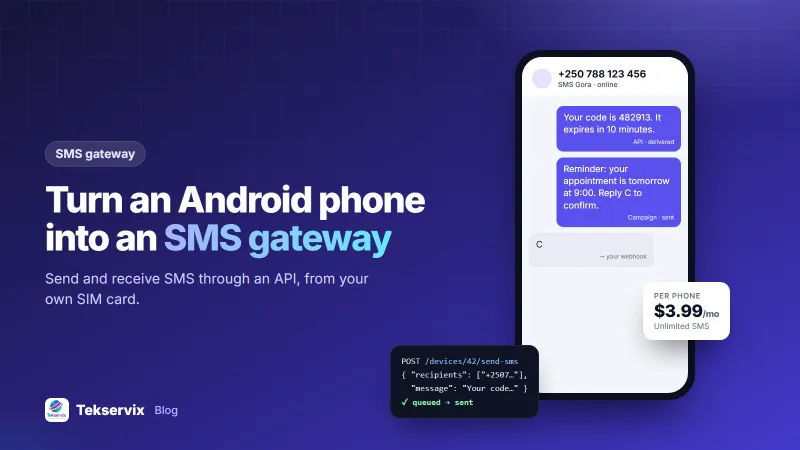
An Android SMS gateway is an app that lets your software send and receive SMS through an Android phone's SIM card, using a web API. Your system sends a request to the gateway, the phone sends the text from its own number, and replies come back to your system automatically.
The messages leave from a normal mobile number, so they travel over your operator's network exactly like texts you send by hand, and your operator bills them the same way.
How it works, step by step#
- Your app calls the API with a phone number and a message.
- The gateway server queues it and tells the phone there is work to do.
- The phone sends the SMS from its SIM and reports "sent" and then "delivered".
- Incoming SMS are picked up by the app and forwarded to your server through a webhook.
If the phone goes offline for a while, messages simply wait in the queue and go out when it reconnects. Nothing is lost.
Android SMS gateway vs bulk SMS provider#
| Android SMS gateway | Bulk SMS provider | |
|---|---|---|
| Cost per message | Your operator's normal SMS price or bundle | Provider's per-message rate |
| Sender shown to customer | Your real mobile number | A brand name (sender ID) where allowed |
| Customers can reply | Yes, to the same number | Often no, or via a separate short code |
| Setup | Install an app, scan a QR code | Account approval, sender-ID registration |
| Throughput | Limited by the phone and operator | Very high |
| Best for | Local businesses, OTPs, reminders, two-way chat | Nationwide campaigns to very large lists |
The honest summary: a phone gateway wins on cost, two-way conversations and setup speed. A bulk provider wins when you need a brand name as the sender or must reach hundreds of thousands of people in minutes.
What businesses actually use it for#
- Login codes and OTPs for a web or mobile app, without paying a premium verification service.
- Appointment reminders for clinics, salons and garages, with "reply C to confirm".
- Delivery updates for shops whose customers don't all use WhatsApp.
- Payment and invoice reminders sent from the same number your clients already know.
- Two-way support, where staff reply to texts from a browser instead of a phone.
Take a dental clinic that sends 40 reminders a day. With a gateway, those texts come out of the SIM bundle the clinic already pays for. Patients reply "C" or "R" from the reminder itself, and the reply lands in the clinic's booking system through the webhook, so the receptionist only calls people who asked to reschedule.
How to set up an Android SMS gateway with SMS Gora#
We'll use SMS Gora, the Android SMS gateway in Tekservix. Setup takes a few minutes.
1. Prepare the phone#
- Any phone with Android 7.0 or newer and a working SIM card.
- A generous SMS bundle from your operator, so messages don't eat airtime.
- A charger. The phone becomes infrastructure, so keep it plugged in and on Wi-Fi or stable mobile data.
2. Install the app and link the phone#
Download the SMS Gora Android app from tekservix.com/smsgora/download. In your SMS Gora dashboard, add a phone and scan the QR code with the app. No passwords are typed on the phone.
Only need to send? Use the standard edition, which installs on every phone. The "send and receive" edition reads incoming SMS, and some phones' Play Protect warns about apps with that permission when they're installed outside Google Play.
3. Keep the app alive#
Android aggressively stops apps in the background to save battery. In the phone's settings, set SMS Gora's battery usage to Unrestricted (the name varies by brand). This single setting prevents most "why did my messages stop?" problems.
4. Send your first SMS from the API#
Create an API key in the dashboard, then send:
curl -X POST https://tekservix.com/smsgora/api/v1/devices/42/send-sms \
  -H "x-api-key: YOUR_API_KEY" \
  -H "Content-Type: application/json" \
  -d '{"recipients":["+250788123456"],"message":"Your code is 482913"}'
One request can carry many recipients. On dual-SIM phones you can choose which SIM sends, which is handy when one operator has the cheaper bundle. The request shape matches TextBee's, so moving from TextBee is usually a change of base URL and key.
5. Receive replies by webhook#
Add your server's URL in the dashboard. Each incoming SMS, plus sent, delivered and failed reports, arrives as signed JSON. If your server is down, deliveries are retried.
Getting reliable delivery#
- Pace bulk sends. Operators watch for SIMs that fire off hundreds of texts a minute, and Android itself may ask for confirmation when an app sends many SMS quickly. Set a steady pace in campaigns rather than sending everything at once.
- Use more than one phone for volume. Two or three phones on different SIMs spread the load and give you a backup. SMS Gora links 1 to 30 phones on one account.
- Watch the dashboard. Battery, signal and queue length are shown live for each phone, so you notice a problem before customers do.
- Check your operator's terms. Some operators restrict commercial bulk messaging on consumer SIMs. A business line avoids surprises.
Respect the people you text#
SMS feels personal, so misuse is noticed quickly. Text people who gave you their number for that purpose, identify your business in the message, and give a way out. SMS Gora removes anyone who texts STOP from your campaigns automatically, and START adds them back.
What it costs#
There are two costs. Your operator charges for the SMS, exactly as it does now. The gateway charges for the software: SMS Gora starts at $3.99 a month for one phone with unlimited SMS, and larger plans bring the price per phone down to about $1.30.
For many small businesses the maths is simple. If an SMS bundle is cheaper than a provider's per-message rate, and your customers are happy to see your real number, a phone gateway pays for itself in the first week.
Many customers also use WhatsApp, so it's worth pairing SMS with a WhatsApp channel for people who prefer it. Our guide to the WhatsApp API for small business explains how.
Frequently asked questions
Can I use my Android phone as an SMS gateway?
Yes. Install a gateway app such as SMS Gora on any Android 7.0 or newer phone with a SIM card, link it to your account by scanning a QR code, and your software can send and receive SMS through the phone using an API.
How much does an Android SMS gateway cost?
You pay your mobile operator for the SMS, as usual, often through a bundle. The gateway software is a separate fee; SMS Gora starts at $3.99 a month for one phone with unlimited messages.
How many SMS can one phone send a day?
It depends on your operator's rules and bundle more than on the phone. For steady daily volumes, pace sending and spread large campaigns across two or more phones on different SIMs.

Tekservix Team
The team behind Tekservix
The Tekservix Team builds and supports Tekservix: WhatsApp and SMS APIs, AI tools, invoicing, PDF and SEO tools for growing businesses. We write practical, tested guides based on what we see our customers do every day.
More articles from the Tekservix Team