WhatsApp Read Receipts API: Track Sent, Delivered and Read Status
How to track WhatsApp message status by API: the sent, delivered, read and played events, webhook payloads, storing statuses, what read receipts can't tell you and useful reports.
On this page
- The statuses
- Getting status updates
- Store statuses properly
- What read receipts can't tell you
- Useful things to do with receipts
- Smarter follow-ups
- Proof of notification
- Honest campaign reports
- Group announcements
- Spot failing numbers
- Mark incoming messages as read
- Handling failures
- Respecting recipients
- A worked example: invoice follow-up
- A simple dashboard
The grey and blue ticks everyone knows from WhatsApp are available to your software too. With a WhatsApp read receipts API, each message you send reports back as it's sent, delivered to the phone and read. That makes it possible to answer "did the customer get the invoice?" without asking them, to follow up only with people who haven't seen a message, and to measure campaigns honestly.
The statuses#
| Status | Ticks in the app | Meaning |
|---|---|---|
| Queued / in progress | Clock | Accepted by the API, waiting to send |
| Sent | One grey tick | Delivered to WhatsApp's servers |
| Delivered | Two grey ticks | Reached the recipient's phone |
| Read | Two blue ticks | The recipient opened the chat |
| Played | Blue microphone | A voice note was listened to |
| Failed | Red warning | Couldn't be sent; an error explains why |
Getting status updates#
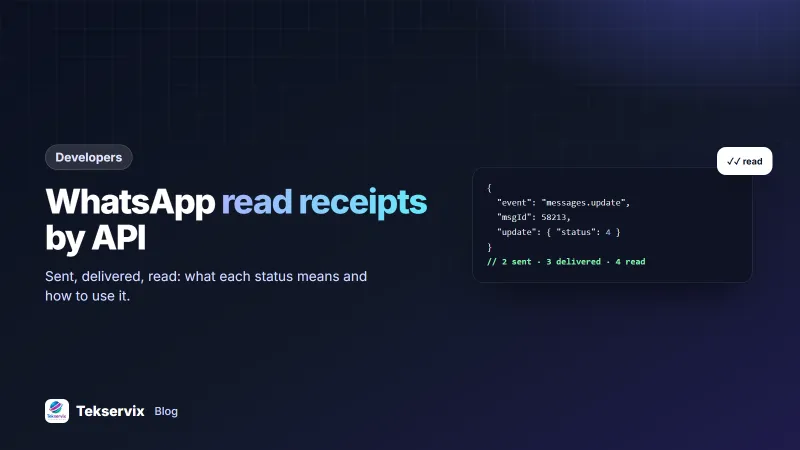
With WApenda, the send call returns a msgId. Status changes then arrive on your webhook as messages.update events, where update.status is a number: 0 error, 2 sent, 3 delivered, 4 read, 5 played. Failed sends include update.error and your msgId, so you can match them to your records.
{
  "event": "messages.update",
  "data": {
    "msgId": 58213,
    "key": { "id": "3EB0X123456789", "remoteJid": "250788123456@s.whatsapp.net", "fromMe": true },
    "update": { "status": 4 }
  }
}
If you'd rather check on demand, GET /messages/{id}/info returns the current status with timestamps. Webhooks are better for volume, because you don't have to poll. Our WhatsApp webhook guide explains how to verify and process events.
Store statuses properly#
A simple table is enough:
messages(id, msg_id, to_phone, purpose, ref_id, status, sent_at, delivered_at, read_at, error)- Only move forward. Events can arrive out of order; don't let a late "delivered" overwrite "read". Keep the highest status seen.
- Record timestamps for each step, not just the latest status.
- Link to your business record (
purpose,ref_id), for example an invoice ID or a campaign ID. - Handle duplicates: the same event may be delivered twice; updates should be idempotent.
What read receipts can't tell you#
- Privacy settings. Users can turn off read receipts. In one-to-one chats you'll then see "delivered" but never "read". Treat that as unknown, not as ignored.
- Understanding. Read means the message was displayed, not that it was understood or acted on.
- Offline phones. A message stays "sent" until the phone comes online, which may be days for someone travelling.
WhatsApp explains the ticks and privacy setting on its help page about read receipts. Design your follow-ups with these limits in mind.
Useful things to do with receipts#
Smarter follow-ups#
For payment reminders, send a follow-up only if the first reminder was delivered but the invoice is still unpaid after a few days. If the message was never delivered, the number may be wrong, so try SMS or a call instead. Our guide to WhatsApp payment reminders covers the wording.
Proof of notification#
For appointment changes, school notices or delivery updates, a delivered timestamp is useful evidence that you informed the customer, while respecting that "read" may not be available.
Honest campaign reports#
Report delivered and read counts rather than "sent". A campaign sent to 2,000 people but delivered to 1,700 tells you 300 numbers need attention. The read rate shows whether your timing and first line are working.
Group announcements#
Group messages produce a receipt for each participant, delivered as message-receipt.update events. A school can see which parents' phones have received an urgent notice and call the rest. See the WhatsApp group API guide.
Spot failing numbers#
Numbers that repeatedly fail or never reach "delivered" should be checked or removed. Keeping lists clean protects your number's reputation.
Mark incoming messages as read#
Receipts work both ways. When your system or a staff member handles an incoming message, mark it read with POST /messages/read and the message key from the webhook. The customer sees blue ticks, which reassures them someone saw it. Don't mark messages read automatically if nobody has actually dealt with them.
Handling failures#
When a message fails, the error tells you what to do next. A number that isn't on WhatsApp should be flagged and moved to SMS or email. A temporary problem, such as the linked phone reconnecting, can be retried with POST /messages/{id}/resend. A message rejected for its content or media needs fixing before any retry. Log every failure with its reason and review them weekly. Most failures come from a small number of causes, and each one fixed improves every future send.
Respecting recipients#
Read receipts are a signal, not a weapon. Don't send "I can see you read my message" follow-ups, and don't chase people minutes after they read something. Use the data to time reminders sensibly and to fix delivery problems, not to pressure customers.
A worked example: invoice follow-up#
Imagine an accounting firm that sends monthly invoices by WhatsApp. Its system records each status as it arrives and uses it to decide the next step automatically:
- Not delivered after 24 hours: the number may be wrong or off WhatsApp, so the invoice goes out by email and the contact is flagged for checking.
- Delivered but not read after three days: nothing is sent; the client may have read receipts turned off. The due-date reminder goes out as planned.
- Read, not paid, and past the due date: a polite reminder goes out, and staff see the invoice on a "follow up" list.
Nobody has to check chats by hand, and clients are never chased for an invoice that never reached them.
A simple dashboard#
Four numbers per day or per campaign give a clear picture: messages sent, delivery rate, read rate (of those delivered) and failures by reason. Watch the trend. A sudden drop in delivery rate can mean the linked number disconnected or a list contains bad numbers, and it's better to notice today than at the end of the month.
The full event reference is in the WApenda API documentation.
Frequently asked questions
Can I always see if a WhatsApp message was read?
No. If the recipient has turned off read receipts in their privacy settings, you'll see delivered but not read in one-to-one chats. Treat a missing read status as unknown, not as unread.
What is the difference between delivered and read?
Delivered means the message reached the recipient's phone. Read means they opened the chat and the message was displayed. For voice notes there is also played, when the audio was listened to.
How do I get read receipts for group messages?
Group messages produce a receipt per participant. With WApenda, these arrive as message-receipt.update events, so you can see which members have read an announcement.

Tekservix Team
The team behind Tekservix
The Tekservix Team builds and supports Tekservix: WhatsApp and SMS APIs, AI tools, invoicing, PDF and SEO tools for growing businesses. We write practical, tested guides based on what we see our customers do every day.
More articles from the Tekservix Team