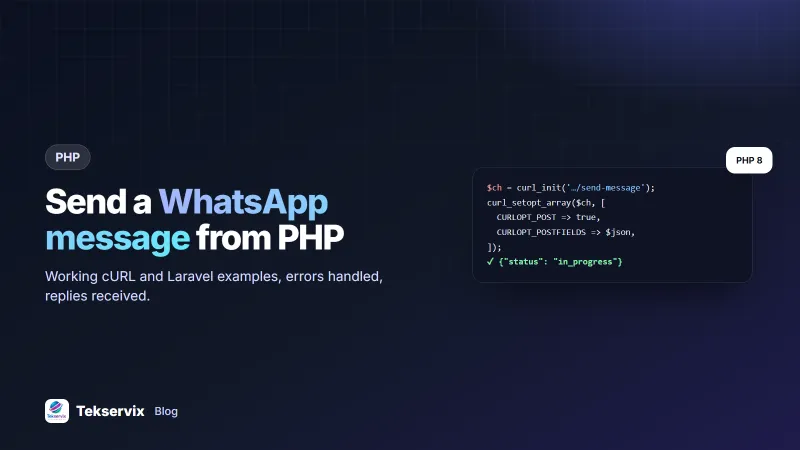
How to Send a WhatsApp Message from PHP (cURL and Laravel Examples)
Send WhatsApp messages, images and documents from PHP with plain cURL or Laravel's HTTP client, handle errors properly and receive replies by webhook.
On this page
- What you need
- Send a text message with plain PHP
- The same thing in Laravel
- Send images and PDFs
- Handle errors by status code
- Receive replies in PHP
- Sending to many customers from PHP
- Clean up phone numbers first
- Match status updates to your orders
- Never send the same message twice
- Testing without messaging real customers
- Production checklist
PHP still runs a large share of the web's shops, booking sites and school systems, so it's often where WhatsApp notifications need to start. The good news: to send a WhatsApp message from PHP you don't need an SDK. A WhatsApp API is a normal HTTPS endpoint, and PHP's built-in cURL is all it takes.
Below are copy-ready examples for plain PHP and Laravel, plus the error handling and webhook code that make an integration reliable in production.
What you need#
- PHP 7.4 or newer with the cURL extension (it's enabled on almost every host).
- A WhatsApp number linked to WApenda and its device API key (it starts with
wpk_). - The key stored in an environment variable, never in your code.
Send a text message with plain PHP#
<?php
function sendWhatsApp(string $to, string $text): array
{
    $ch = curl_init('https://tekservix.com/wapenda/api/send-message');
    curl_setopt_array($ch, [
        CURLOPT_POST           => true,
        CURLOPT_RETURNTRANSFER => true,
        CURLOPT_TIMEOUT        => 15,
        CURLOPT_HTTPHEADER     => [
            'Authorization: Bearer ' . getenv('WAPENDA_KEY'),
            'Content-Type: application/json',
        ],
        CURLOPT_POSTFIELDS     => json_encode(['to' => $to, 'text' => $text]),
    ]);
    $body = curl_exec($ch);
    $code = curl_getinfo($ch, CURLINFO_HTTP_CODE);
    $err  = curl_error($ch);
    curl_close($ch);

    if ($body === false) {
        throw new RuntimeException('Network error: ' . $err);
    }
    $json = json_decode($body, true) ?? [];
    if ($code >= 400 || empty($json['success'])) {
        throw new RuntimeException("WhatsApp API $code: " . ($json['message'] ?? 'unknown error'));
    }
    return $json['data']; // ['msgId' => 58213, 'status' => 'in_progress', …]
}

$result = sendWhatsApp('+250788123456', 'Hi Aline, your order #1042 is ready for collection.');
The API answers straight away with "status": "in_progress" and a msgId. The message is queued and sent at a safe pace. Save the msgId with your order so you can match delivery updates later.
The same thing in Laravel#
use Illuminate\Support\Facades\Http;

$response = Http::withToken(config('services.wapenda.key'))
    ->timeout(15)
    ->post('https://tekservix.com/wapenda/api/send-message', [
        'to'   => $order->customer_phone,
        'text' => "Hi {$order->customer_name}, order #{$order->id} has shipped.",
    ]);

if ($response->failed()) {
    report(new \RuntimeException('WhatsApp: ' . $response->json('message')));
} else {
    $order->update(['whatsapp_msg_id' => $response->json('data.msgId')]);
}
In a real app, put this inside a queued job (ShouldQueue) so a slow network never slows down checkout.
Send images and PDFs#
The same endpoint sends media. Pass a public HTTPS link:
// Image with caption
['to' => '+250788123456', 'text' => 'New arrivals', 'imageUrl' => 'https://example.com/catalogue.jpg']

// PDF invoice
['to' => '+250788123456', 'text' => 'Your invoice', 'documentUrl' => 'https://example.com/inv-1042.pdf', 'fileName' => 'Invoice-1042.pdf']
Our guide to sending PDFs through a WhatsApp API covers private files and signed links.
Handle errors by status code#
| Code | Meaning | What your PHP should do |
|---|---|---|
| 400 / 422 | Invalid request (for example, missing to) | Log it and fix the data; don't retry |
| 401 | Wrong or missing key | Check the environment variable |
| 402 | Plan inactive or not covering this number | Alert an admin |
| 409 | Number not linked or connected | Alert an admin to re-scan the QR code |
| 429 | Rate limit (300 requests a minute per key) | Wait for Retry-After, then retry |
| 503 | Number reconnecting | Retry after a few seconds |
Retry only 429 and 5xx responses, with a growing delay. Retrying a 422 just repeats the same mistake.
Receive replies in PHP#
Set a webhook URL in the dashboard and WApenda will POST each incoming message to it. A minimal receiver:
<?php
if (!hash_equals(getenv('WAPENDA_WEBHOOK_SECRET'), $_SERVER['HTTP_X_WEBHOOK_SIGNATURE'] ?? '')) {
    http_response_code(401);
    exit;
}
$event = json_decode(file_get_contents('php://input'), true);
http_response_code(200); // acknowledge fast

if (($event['event'] ?? '') === 'messages.received') {
    $msg  = $event['data']['messages'];
    $from = $msg['key']['cleanedSenderPn'] ?? '';
    $text = $msg['messageBody'] ?? '';
    // save to your database or queue for processing
}
The patterns for acknowledging quickly and ignoring duplicates are in our WhatsApp webhook guide.
Sending to many customers from PHP#
For a list of customers, don't loop over sendWhatsApp() inside one web request. Queue one job per recipient and let a worker send them:
foreach ($customers as $c) {
    if (!$c->whatsapp_opt_in) continue;          // only people who agreed
    SendWhatsAppJob::dispatch($c->phone, "Hi {$c->first_name}, our new menu is out.");
}
WApenda queues messages per number and spaces them out automatically, with random gaps and a warm-up for new numbers, to protect your account. Your PHP code doesn't need its own sleep calls; it just needs to respect 429 responses. For large campaigns, the built-in campaign tool in the dashboard handles personalisation, pacing and STOP opt-outs without any code, as explained in our guide to sending bulk WhatsApp messages safely.
Clean up phone numbers first#
Customers type numbers every way imaginable: 0788 123 456, 788123456, +250-788-123-456. WhatsApp needs the full international number. A small normaliser, run when the number is saved rather than when it's sent, fixes most of them:
function normalisePhone(string $raw, string $countryCode = '250'): ?string
{
    $digits = preg_replace('/\D+/', '', $raw);
    if (str_starts_with($digits, '00'))          $digits = substr($digits, 2);
    if (str_starts_with($digits, '0'))           $digits = $countryCode . substr($digits, 1);
    if (strlen($digits) === 9)                   $digits = $countryCode . $digits;
    return strlen($digits) >= 11 ? '+' . $digits : null;
}
Return null for anything that still looks wrong and ask the customer to correct it on the spot. Fixing a number at checkout costs a second; finding out a week later that a chunk of your order updates never went anywhere costs far more. If you sell in several countries, store the country with the address and pass its code in.
Match status updates to your orders#
Earlier we saved the msgId on the order. That pays off when WApenda reports what happened next. Subscribe to messages.update and the webhook receives a numeric status: 2 means sent, 3 delivered, 4 read, and 0 means the send failed.
if (($event['event'] ?? '') === 'messages.update') {
    $u      = $event['data'];
    $status = [0 => 'failed', 2 => 'sent', 3 => 'delivered', 4 => 'read'][$u['update']['status']] ?? null;
    if ($status) {
        $pdo->prepare('UPDATE orders SET wa_status = ? WHERE whatsapp_msg_id = ?')
            ->execute([$status, $u['msgId']]);
    }
}
Now your admin screen can show a small tick next to each order, and staff stop answering "did you send my invoice?" calls by guessing. A failed status is also your cue to try SMS or email for that customer instead.
Never send the same message twice#
Duplicate messages are one of the most common problems in a new integration. They usually come from a cron job that runs twice, a queue worker that crashes after sending but before recording it, or a customer refreshing a thank-you page that triggers a send.
The fix is to decide, in the database, that a message has been claimed before you send it. Add a column such as shipped_msg_sent_at, and set it with a conditional update:
$claimed = $pdo->prepare('UPDATE orders SET shipped_msg_sent_at = NOW() WHERE id = ? AND shipped_msg_sent_at IS NULL');
$claimed->execute([$order['id']]);
if ($claimed->rowCount() === 1) {
    sendWhatsApp($order['phone'], "Order #{$order['id']} has shipped.");
}
Only one process can win that update, so only one message goes out, however many times the code runs.
Testing without messaging real customers#
During development, send to your own number or a team member's, and keep a flag in your config that swaps every recipient for a test number. It's a small safety net that prevents the classic mistake of messaging real customers from a staging server.
Production checklist#
- Format numbers in international format (
+250…) before sending. - Send from a queue, not inside the customer's page request.
- Log the
msgIdand the final status for every message. - Message only people who opted in, and honour opt-outs.
- Keep keys in environment variables, and rotate them if they leak.
The full list of endpoints and message types is in the WApenda API documentation, and PHP's own cURL manual covers every option used above. Working in JavaScript instead? See our Node.js guide.
Frequently asked questions
Can I send WhatsApp messages from PHP without a library?
Yes. A WhatsApp API is a normal HTTPS endpoint, so PHP's built-in cURL extension is enough. You send a POST request with a JSON body and your API key in the Authorization header.
Why does my PHP WhatsApp request return 409?
With WApenda, 409 means the WhatsApp number isn't linked or connected. Open the dashboard, check the device status and scan the QR code again if needed.
Should I send WhatsApp messages directly from a web request?
For one message, it's fine. For many messages or slow networks, put the work in a queue and send from a background worker, so your page loads fast and failures can be retried.

Tekservix Team
The team behind Tekservix
The Tekservix Team builds and supports Tekservix: WhatsApp and SMS APIs, AI tools, invoicing, PDF and SEO tools for growing businesses. We write practical, tested guides based on what we see our customers do every day.
More articles from the Tekservix Team