SMS OTP Verification: How to Send One-Time Passwords Securely
How SMS OTP verification works, how to generate, send and check codes safely, the settings that stop abuse, and when to use SMS, WhatsApp or an authenticator app.
On this page
Almost every sign-up form, payment confirmation and password reset now ends with "enter the code we sent you". SMS OTP verification is simple to add, but easy to get subtly wrong: codes that never expire, unlimited guesses, or a form that lets bots burn through your SMS budget overnight.
This guide covers how to generate, send and check one-time passwords safely, plus the settings that keep costs and fraud under control.
How SMS OTP verification works#
- The user enters a phone number.
- Your server generates a random code, stores a hash of it with an expiry time, and sends the code by SMS.
- The user types the code back.
- Your server compares it with the stored hash, checks the expiry and the attempt count, and marks the number verified.
The code proves the user controls that phone number at that moment. It's a second factor, "something you have", on top of a password or as a password-less sign-in.
Generating codes safely#
- Use a cryptographically secure random generator, such as
random_int()in PHP orsecrets.randbelow()in Python, neverrand(). - Six digits is the usual length. Keep leading zeros (000731 is valid).
- Store a hash of the code, not the code itself, with the phone number, creation time and attempts used.
- One active code per number per purpose. Sending a new code cancels the old one.
// PHP
$code = str_pad((string) random_int(0, 999999), 6, '0', STR_PAD_LEFT);
$hash = password_hash($code, PASSWORD_DEFAULT);
// store $hash, phone, purpose, expires_at = now + 10 minutes, attempts = 0Checking codes safely#
- Expire after 5 to 10 minutes.
- Allow about 5 attempts, then require a new code.
- Delete or mark the code used the moment it's accepted, so it can't be replayed.
- Give the same error for "wrong code" and "expired code", so attackers learn nothing.
The NIST digital identity guidelines (SP 800-63B) discuss out-of-band authenticators like SMS codes in detail, including their limits.
Writing the message#
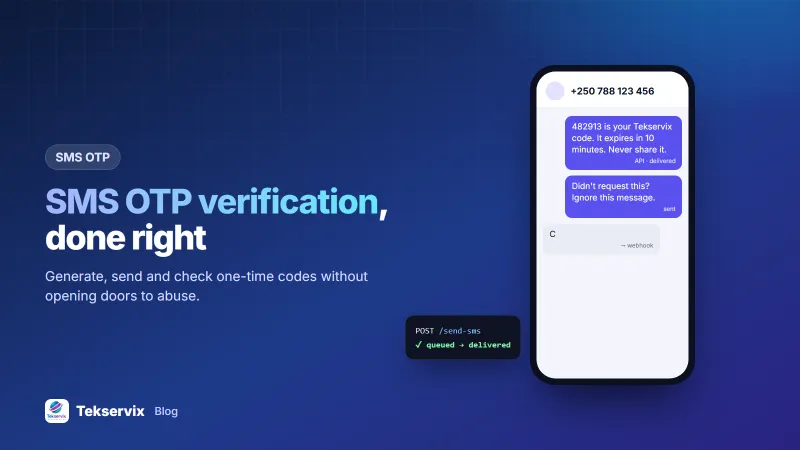
482913 is your Tekservix code. It expires in 10 minutes. Never share it with anyone, including our staff.
- Put the code first, so it shows in the phone's notification and autofill suggestions.
- Name the service, so people recognise it.
- Warn against sharing it. Most OTP fraud is social engineering: "we sent you a code by mistake, please read it back".
- Stay under 160 standard characters, so it's one SMS. Our explainer on the SMS character limit shows which characters break that.
Stop abuse before it costs you#
An OTP form is a button that sends SMS. Bots love it, and "SMS pumping" fraud can generate thousands of messages to expensive premium numbers. Protect the endpoint:
- Rate-limit per phone number: for example 3 codes per 10 minutes and 10 per day.
- Rate-limit per IP address and per session.
- Add a bot check such as Cloudflare Turnstile before sending the first code.
- Restrict countries to the ones your customers are in.
- Watch for spikes in sends with low verification rates. That pattern means bots.
Sending OTPs from your own number#
With SMS Gora, OTPs go out from an Android phone and SIM you control, billed at your operator's rates, often from a bundle. That keeps per-code costs low for local users:
curl -X POST https://tekservix.com/smsgora/api/v1/devices/42/send-sms \
  -H "x-api-key: sgk_your_key" -H "Content-Type: application/json" \
  -d '{"recipients":["+250788123456"],"message":"482913 is your code. It expires in 10 minutes. Never share it."}'
For busy sign-up flows, link two or more phones so codes keep flowing if one goes offline. Our SMS API guide covers delivery tracking, and the OTP SMS page summarises the setup.
Test the flow before launch#
- Happy path: request a code, enter it, get verified.
- Expiry: wait past the limit and confirm the code fails.
- Wrong codes: five wrong attempts should lock that code.
- Resend: the old code must stop working after a new one is sent.
- Rate limits: hammer the "send code" button and confirm it refuses.
- Slow SMS: make sure the screen explains what to do if no code arrives within a minute.
Measure what matters#
Track the verification rate (codes verified divided by codes sent). A healthy flow verifies most codes. A sudden drop usually means delivery problems or bots, and either needs attention the same day.
Help users when the code doesn't arrive#
Show a countdown before the "resend" button becomes active, usually 30 to 60 seconds, so impatient taps don't trigger three codes at once. Offer an alternative after the second attempt, such as a WhatsApp code or a call to support, and display the number the code was sent to, so users can spot a typo.
Codes and privacy#
A verification text carries a phone number, a code and often the name of your service. Treat that data with care. Store the phone number because you need it, but never store the code itself in plain text; keep a hash and delete it once it has been used or has expired. Don't write codes into application logs, where support staff or a leaked backup could read them.
Keep the message itself free of personal details. "Your [App name] code is 482913" is enough. Adding the customer's name, balance or order details turns a lock screen notification into a privacy leak for anyone glancing at the phone. Finally, tell users in your privacy notice that you use their number for verification, and don't quietly add it to marketing lists afterwards.
SMS, WhatsApp or an authenticator app?#
| Channel | Strengths | Weaknesses |
|---|---|---|
| SMS | Works on every phone, no app or data needed | SIM-swap risk; per-message cost |
| Cheap at volume, reads well, delivery receipts | Needs WhatsApp and internet | |
| Authenticator app | No SMS cost, resistant to SIM swap | Users must install and set it up |
A sensible default: SMS or WhatsApp for sign-up and phone verification, with an authenticator app offered for accounts holding money. Our guides to WhatsApp OTP and two-factor authentication cover the other two options.
If you'd rather send codes from your own SIM card, see our guide to the Android SMS gateway.
Frequently asked questions
How long should an SMS OTP be valid?
Five to ten minutes is typical. Long enough for a slow SMS to arrive, short enough that an intercepted or old code is useless.
How many digits should an OTP have?
Six digits is the common standard. Combined with a short expiry and a limit of about five attempts, a six-digit code is very hard to guess.
Is SMS OTP secure?
It's much better than a password alone, but SMS can be intercepted through SIM-swap fraud. Use SMS for sign-up and low-risk logins, and offer an authenticator app for accounts that hold money or sensitive data.

Tekservix Team
The team behind Tekservix
The Tekservix Team builds and supports Tekservix: WhatsApp and SMS APIs, AI tools, invoicing, PDF and SEO tools for growing businesses. We write practical, tested guides based on what we see our customers do every day.
More articles from the Tekservix Team