Inventory Management for Small Business: A Simple System That Works
Inventory management for small business made practical: know what you have, set reorder points, count regularly, spot slow stock and stop losing money to shortages and shrinkage.
On this page
- Signs your inventory needs attention
- Step 1: Build one item list
- Step 2: Record every movement
- Step 3: Set reorder points
- Step 4: Prioritise with ABC analysis
- Step 5: Count regularly
- Deal with slow and dead stock
- Reduce shrinkage
- Numbers worth watching
- Your first month, week by week
- Connect stock to the rest of the business
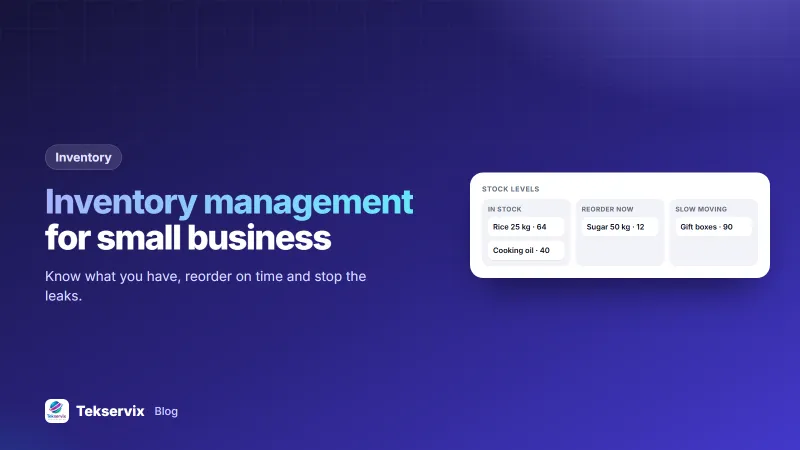
Stock is cash sitting on a shelf. Too little and you turn customers away; too much and money is tied up in boxes that may never sell. Good inventory management for small business doesn't need warehouse software or barcode scanners. It needs an accurate list, a rule for when to reorder, and a regular count to keep the list honest.
Signs your inventory needs attention#
- You regularly tell customers "we're out, come back next week".
- You find boxes of stock you forgot you had.
- The count at the end of the year never matches what you expected.
- You don't know which products actually make you money.
- Orders to suppliers are placed when someone notices the shelf is empty.
Step 1: Build one item list#
Every item you stock gets one line with:
- A clear name and a short code (SKU), such as
TSH-BLK-Mfor a black T-shirt in medium. - Current quantity.
- Unit cost and selling price.
- Supplier and delivery time.
- Reorder point and reorder quantity.
- Where it's stored.
Variants count as separate items. "T-shirt" isn't one item if you sell four sizes in three colours; it's twelve.
Step 2: Record every movement#
The list is only useful if it changes when stock changes. Record:
- Stock in: deliveries from suppliers, customer returns.
- Stock out: sales, samples, damaged or expired goods, items used internally.
Make recording a habit at the moment it happens: when a delivery is unpacked, when a sale is made, when something breaks. Waiting until the end of the day means relying on memory. The Tekservix Business Suite records each stock movement in or out with a reason, lets you set a reorder level for every item, and keeps inventory next to your invoices and expenses.
Step 3: Set reorder points#
A reorder point is the quantity at which you place a new order, so stock arrives before you run out:
Reorder point = average daily sales × supplier delivery time (days) + safety stock
Example: you sell about 4 bags of rice a day, and your supplier takes 5 days to deliver. 4 × 5 = 20 bags will sell while you wait. Add a safety buffer of, say, 8 bags for busy days or late deliveries: reorder when you're down to 28.
Review reorder points every few months and before busy seasons. A point that worked in March may be far too low in December.
Step 4: Prioritise with ABC analysis#
Not every item deserves the same attention. Sort items by how much money they bring in over a year (quantity sold × cost):
| Class | Typical share | How to manage |
|---|---|---|
| A | About 20% of items, most of the value | Count often, reorder carefully, never run out |
| B | The middle | Regular checks |
| C | Many items, little value | Simple rules; order in bulk, count less often |
This is where most small businesses find their biggest win: a handful of A items deserve far more attention than the hundreds of small ones.
Step 5: Count regularly#
Records drift: miscounted deliveries, unrecorded breakages, theft. A physical count corrects them. Instead of one exhausting annual count, try cycle counting: count a few items every week, with A items counted most often. Write down differences and look for patterns. If the same product is short every month, something specific is going wrong.
Deal with slow and dead stock#
Every quarter, list items that haven't sold in 90 days. For each, decide:
- Bundle it with a popular item.
- Discount it to free up cash and space.
- Return it to the supplier if they allow.
- Stop reordering it.
Money in dead stock can't pay rent. Selling it at cost is often better than holding it for another year. Our guide to price optimisation helps you decide how far to discount.
Reduce shrinkage#
Shrinkage is the gap between what records say you have and what's really there. Common causes and fixes:
- Receiving errors: count every delivery against the delivery note before signing.
- Damage and expiry: store properly, sell oldest stock first (first in, first out).
- Theft: limit who has storeroom access and count high-value items more often.
- Unrecorded use: record samples and items taken for the shop's own use.
Numbers worth watching#
- Stock turnover: cost of goods sold in a year divided by average stock value. Higher usually means cash isn't stuck on shelves.
- Stockouts: how often a customer wanted something you didn't have.
- Shrinkage rate: the value lost between counts, as a share of stock.
For a clear explanation of how turnover is calculated and read, Investopedia's inventory turnover article is a good reference.
Your first month, week by week#
Moving from memory or a notebook to a proper system is easier in stages:
- Week 1: list every item with a code, a unit and a location. Don't worry about quantities yet.
- Week 2: do one full count and enter the quantities. This is your starting point.
- Week 3: start recording every movement: sales, deliveries, returns and damage. Be strict about this; one unrecorded sale a day adds up fast.
- Week 4: count your top 20 items again and compare with the system. Investigate any difference.
By the end of the month you will know which items are accurate, which ones need attention, and roughly how much stock goes missing. Set reorder points only after that, when the numbers can be trusted.
Connect stock to the rest of the business#
Inventory affects cash, pricing and profit. Buying stock is often the largest expense a shop has, so track purchases alongside other costs (see tracking business expenses), and use a purchase order for supplier orders so quantities and prices are agreed in writing. When stock, sales and spending sit in the same system, the monthly profit figure becomes something you can trust.
Accurate sales records start with the documents you hand customers; invoice vs receipt explains which is which.
Frequently asked questions
What is the simplest way to manage inventory in a small business?
Keep one list of every item with its current quantity, cost and reorder point. Update it whenever stock comes in or goes out, and count physically at regular intervals to correct mistakes.
How do I calculate a reorder point?
Multiply your average daily sales of the item by the supplier's delivery time in days, then add safety stock. If you sell 5 a day and delivery takes 6 days, reorder at 30 plus a buffer, say 40.
How often should I count stock?
Count your most valuable and fastest-moving items weekly or monthly, and everything else at least once or twice a year. Regular small counts catch problems earlier than one big annual count.

Tekservix Team
The team behind Tekservix
The Tekservix Team builds and supports Tekservix: WhatsApp and SMS APIs, AI tools, invoicing, PDF and SEO tools for growing businesses. We write practical, tested guides based on what we see our customers do every day.
More articles from the Tekservix Team