CRM for Small Business: What You Need, What You Don't, and How to Start
What a CRM really does for a small business, the five features that matter, what to skip, and a one-week plan to move off spreadsheets and WhatsApp chats.
On this page
- What a CRM actually does
- The five features that matter
- What you can skip (for now)
- A one-week plan to start
- Day 1: Collect contacts
- Day 2: Clean and import
- Day 3: Define your pipeline
- Day 4: Add open deals
- Day 5: Set the team rules
- Days 6 and 7: Use it in a real meeting
- Signs you've outgrown spreadsheets and chats
- A worked example
- CRM plus quotes, invoices and expenses in one place
- Keep it alive
In most small businesses, customer information lives in five places: the owner's phone, a WhatsApp chat, an Excel sheet, a notebook at the till and somebody's email. It works until a big quote is forgotten, or a staff member leaves with half the contacts on their phone. A CRM for small business fixes that by putting customers, conversations and deals in one place the whole team can see.
You don't need an enterprise system to get there. Here's what matters, what doesn't, and a one-week plan to start.
What a CRM actually does#
A CRM (customer relationship management system) is a shared record of every customer, what they've bought or been quoted, and what should happen next. For a small business, that boils down to three questions it answers instantly:
- Who is this customer and what's our history with them?
- Which deals are open, and what's the next step on each?
- Who on the team is responsible for following up?
The five features that matter#
- A clean contact list with company, phone, email and notes, searchable in seconds.
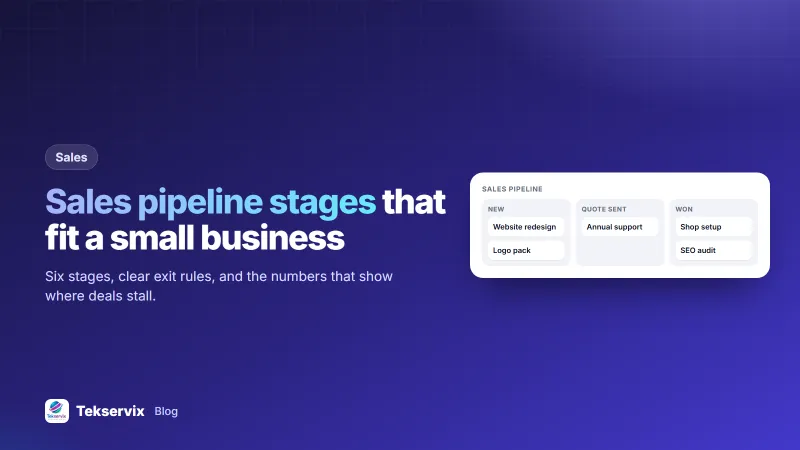
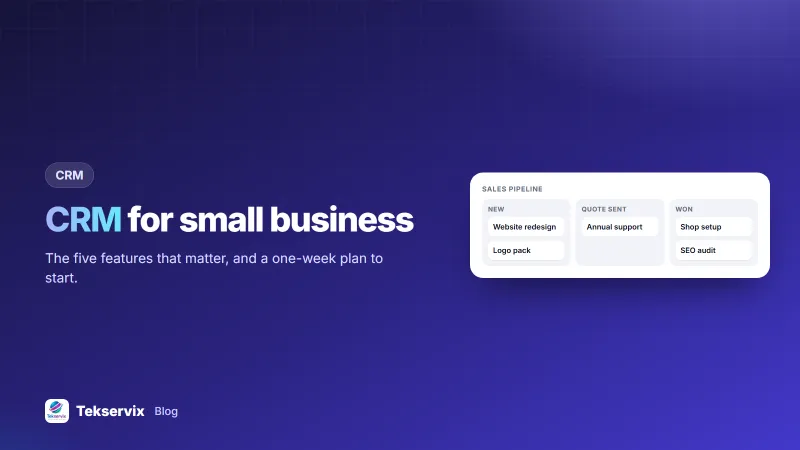
- A visual pipeline where each deal moves through stages: new enquiry, quote sent, negotiating, won or lost. Our article on sales pipeline stages helps you define yours.
- Follow-up tasks with dates, so "call back Tuesday" doesn't depend on memory.
- Documents attached to the customer: quotes, invoices and contracts on the same record.
- A simple activity log: calls, meetings and notes in date order.
What you can skip (for now)#
- Complex lead scoring and AI forecasts. Useful at scale, noise for a team of five.
- Dozens of custom fields. Every field you add is one more thing nobody fills in.
- Heavy integrations you won't maintain.
- Per-seat pricing traps: check what adding your third or fourth user costs.
A one-week plan to start#
Day 1: Collect contacts#
Export phone contacts, spreadsheet rows and email addresses of active customers. Don't aim for completeness: start with customers from the last 12 months.
Day 2: Clean and import#
Remove duplicates, fix phone formats (+250…) and split names into company and contact person. Import into the CRM.
Day 3: Define your pipeline#
Agree on four to six stages that match how you really sell. Write a one-line definition for each, such as "Quote sent = a written price is with the customer".
Day 4: Add open deals#
List every open opportunity with its value and next step. This alone usually uncovers a few forgotten quotes worth chasing.
Day 5: Set the team rules#
Two rules are enough: every new enquiry goes in the CRM the same day, and every deal always has a next step with a date.
Days 6 and 7: Use it in a real meeting#
Run your weekly sales check from the pipeline screen. When people see it used, they keep it updated.
Signs you've outgrown spreadsheets and chats#
- You've sent a quote and forgotten to follow up, and found out weeks later the customer bought elsewhere.
- Two staff members contacted the same customer about the same thing on the same day.
- Nobody can say how many open deals you have, or what they're worth.
- Customer history leaves the business when an employee does.
- You search three apps to find one customer's last invoice.
If two or more of these sound familiar, a simple CRM will pay for itself quickly, mostly through the deals you stop losing.
A worked example#
Take a small printing company getting 30 enquiries a week through WhatsApp, phone and walk-ins. Before a CRM, quotes are typed in Word and sent from personal accounts; follow-ups happen when someone remembers. With a CRM:
- Each enquiry becomes a deal with the customer attached.
- The quote is created from the deal and sent as a link the client can accept online.
- When the client accepts, the invoice is created from the same customer record, so nothing is retyped from scratch.
- Every Monday, the owner opens the "Quote sent" stage and calls every customer who hasn't replied in five days.
The team stops losing quotes, and the owner can see next month's likely income at a glance.
CRM plus quotes, invoices and expenses in one place#
Many small businesses end up paying for a CRM, an invoicing app and an expense tracker, then copying data between them. The Tekservix Business Suite keeps contacts and deals together with quotes, e-signed contracts, invoices, inventory and expenses, and shows profit and loss from the same data. Clients get private links to view, accept or sign documents.
When a deal is won, the next steps are usually a quote and an invoice. Our guides on writing a quotation and writing an invoice pick up from there.
Keep it alive#
CRMs fail quietly when nobody updates them. Keep yours simple, review the pipeline weekly, and make the CRM the only place quotes are created. Research on sales follow-up, such as the long-running Harvard Business Review study on lead response times, keeps finding that speed of response matters. A CRM makes fast, consistent follow-up the default rather than the exception.
Once a lead becomes a sale, the paperwork follows. Our guide to invoice vs receipt explains which document to send and when.
Frequently asked questions
Does a small business really need a CRM?
If you lose track of who you quoted, forget follow-ups or keep customer details in several places, yes. A simple CRM pays off as soon as you have more customers and deals than you can hold in your head.
What is the easiest CRM for a small business?
The easiest CRM is the one your team will actually update. Choose one with a simple contact list, a visual pipeline and quotes or invoices attached to the customer record, and skip complex features you won't use.
How much does a small business CRM cost?
Many CRMs charge per user per month. Tekservix's Business Suite includes a CRM together with quotes, invoices, contracts and expenses in one place, so you don't pay for separate tools.

Tekservix Team
The team behind Tekservix
The Tekservix Team builds and supports Tekservix: WhatsApp and SMS APIs, AI tools, invoicing, PDF and SEO tools for growing businesses. We write practical, tested guides based on what we see our customers do every day.
More articles from the Tekservix Team