Email Subject Lines That Get Opened: Principles, Examples and Tests
What makes email subject lines get opened: clarity over cleverness, length for mobile, preview text, personalisation that isn't creepy, spam triggers to avoid and 30 examples by email type.
On this page
- Principle 1: Clear beats clever
- Principle 2: Write for the phone
- Principle 3: Use the preview text
- Principle 4: Personalise with care
- Principle 5: Be honest
- Avoid spam-filter trouble
- Examples by email type
- Newsletters
- Promotions
- Transactional
- Reminders
- Follow-ups
- Re-engagement
- Using AI to brainstorm
- Test and learn
- Timing and sender name
- A quick checklist
Your email can be useful, well designed and perfectly timed, and still go unread, because the subject line didn't earn the click. In a crowded inbox, people decide in a second or two. Good email subject lines make that decision easy: they tell the reader what's inside and why it's worth opening now.
Principle 1: Clear beats clever#
Puns and mystery sometimes work, but clarity works more reliably. Compare:
- "Something exciting is coming..." (vague)
- "New: send SMS campaigns from your browser" (clear)
The second tells the reader exactly what they'll learn. People who care open it; people who don't, don't, and that's fine. You want engaged readers, not curious ones who feel tricked.
Principle 2: Write for the phone#
Most email is opened on phones, where a subject line may be cut off after 30 to 40 characters. Put the key words first:
- Weak: "Our monthly newsletter for October featuring 20% off"
- Better: "20% off yearly plans until Friday"
Principle 3: Use the preview text#
Most inboxes show a line of preview text next to or under the subject. If you don't set it, the email app grabs the first text in the email, often "View in browser" or "Unsubscribe". Treat it as a second subject line:
Subject: 20% off yearly plans until Friday
Preview: Plus a new way to send SMS campaigns without code.
Principle 4: Personalise with care#
A first name can help, but it's become common enough that it no longer surprises anyone. Relevance matters more than a name. "Your invoice INV-1042 is ready" is personal in a useful way. "Aline, you won't believe this!" is personal in a way that sounds like spam. Make sure your data is clean: "Hi {FIRSTNAME}" is worse than no name at all.
Principle 5: Be honest#
A subject line is a promise. If it says "Last chance", it must be the last chance. If it says "Your order", it must be about their order. Misleading subjects get opens once and unsubscribes after. In many countries it's also a legal matter; the US Federal Trade Commission's CAN-SPAM compliance guide is explicit that subject lines must not be deceptive, and other countries have similar rules.
Avoid spam-filter trouble#
Modern spam filters look mainly at your sending reputation and authentication, not individual words. Still, some habits raise flags:
- ALL CAPITALS and multiple exclamation marks!!!
- Money-heavy phrasing like "Free money" or "Act now to win".
- Fake "RE:" or "FWD:" prefixes.
- Subjects that don't match the email content.
Deliverability depends far more on setting up SPF, DKIM and DMARC correctly and sending to people who want your email. Our guides to email deliverability and DMARC setup cover those foundations.
Examples by email type#
Newsletters#
- "3 ways to get invoices paid faster"
- "October: what's new at [Brand]"
- "The one SEO fix most small sites miss"
Promotions#
- "20% off yearly plans until Friday"
- "Free delivery this weekend only"
- "Back in stock: the leather sandals"
Transactional#
- "Your invoice INV-1042 is ready"
- "Order #1042 has shipped"
- "Your password was changed"
Reminders#
- "Reminder: invoice INV-1042 due Friday"
- "Your appointment tomorrow at 10:00"
- "Your trial ends in 2 days"
Follow-ups#
- "Any questions about the quote?"
- "Following up on our call"
- "Quick question about your order"
Re-engagement#
- "Still want to hear from us?"
- "We've changed a lot since you last visited"
For payment emails specifically, our payment reminder email templates pair subject lines with body text.
Using AI to brainstorm#
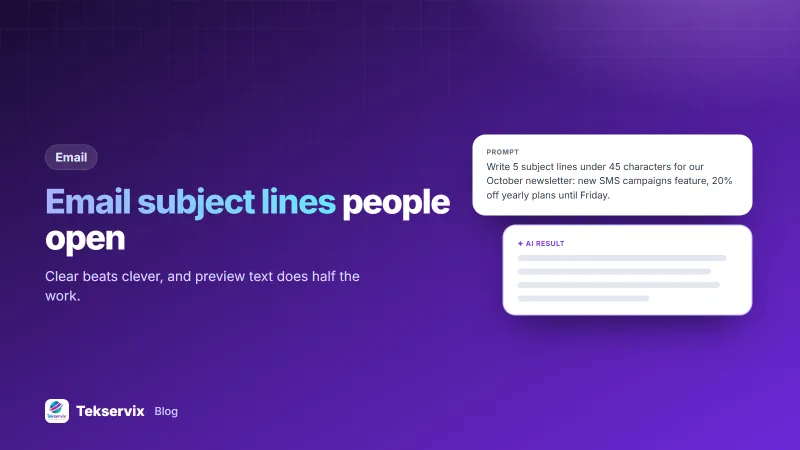
An AI writing tool is a quick way to get twenty options to choose from. Give it the email's main point, the audience, the offer and the length limit, and ask for variations in different styles: direct, question, number, urgency. The Tekservix AI copywriting tool has an email format you can use to generate subject line options. Then pick two you'd genuinely open yourself, and test them. Our guide to AI copywriting explains how to brief a tool so the results aren't generic.
Test and learn#
Most email platforms let you send two subject lines to small groups, then send the winner to everyone else. A few rules make tests useful:
- Test one difference at a time: length, a number, a question, an emoji.
- Use a big enough group; tests on a few dozen people mostly measure chance.
- Look beyond opens. Apple's Mail Privacy Protection makes open rates less reliable, so compare clicks and replies too.
- Keep a log of results. Patterns across several tests are worth more than one winner.
Timing and sender name#
The subject line doesn't work alone. The sender name sits right next to it and is often the first thing people look at. Use a name readers recognise: your brand, or "Aline at [Brand]" if a real person writes the newsletter. Keep it consistent from email to email. Timing matters too. A promotion that lands at 6 am competes with a night's worth of email; one that arrives mid-morning or early evening may get a better look. Your own results are the best guide, so compare send times the same way you compare subject lines.
A quick checklist#
- Would the reader know what's inside?
- Are the key words in the first 30 characters?
- Is the preview text set and useful?
- Is it honest?
- Would you open it?
Subject lines and search snippets have a lot in common: both are a short promise competing for a click. Our meta description guide applies the same thinking to Google results.
Frequently asked questions
How long should an email subject line be?
Short enough to be read in full on a phone, roughly 30 to 50 characters. Put the most important words first in case the rest is cut off.
Should I use emoji in email subject lines?
Sparingly. One relevant emoji can help a subject stand out in a busy inbox, but several look like spam, and some email apps display them poorly. Test with your own audience.
What is preview text?
It's the short line shown after or below the subject in most inboxes, usually taken from the start of the email. Set it deliberately to add to the subject instead of letting it show 'View this email in your browser'.

Tekservix Team
The team behind Tekservix
The Tekservix Team builds and supports Tekservix: WhatsApp and SMS APIs, AI tools, invoicing, PDF and SEO tools for growing businesses. We write practical, tested guides based on what we see our customers do every day.
More articles from the Tekservix Team