OCR PDF: How to Get Editable Text From a Scanned PDF or Photo
Use OCR on a PDF to turn scanned pages and photos into text you can copy, edit and search: how OCR works, getting accurate results, languages, and when you need a searchable PDF instead.
On this page
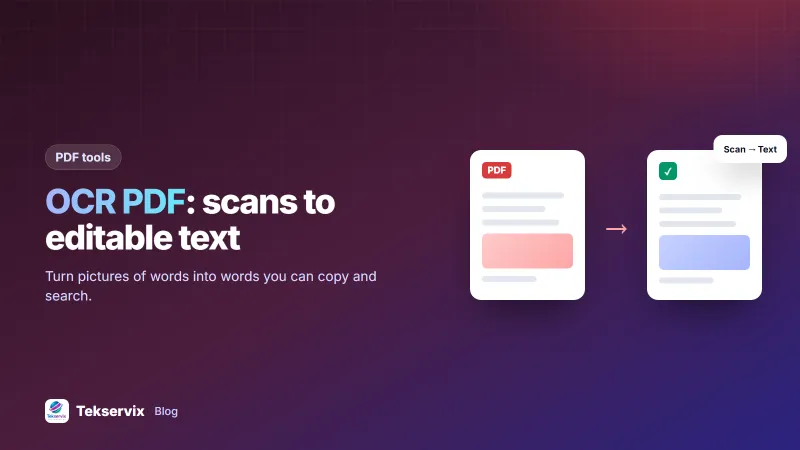
A scanned contract, a photo of a receipt, a PDF someone printed and scanned back in: they look like documents, but to a computer they're just pictures. You can't search them, copy a paragraph or fix a typo. Running OCR on a PDF (optical character recognition) reads the letters in those pictures and turns them back into real text.
Does your PDF need OCR?#
Open the PDF and try to highlight a single word, or press Ctrl+F and search for a word you can see. If nothing highlights or the search finds nothing, the page is an image and OCR will help. If you can select text normally, the PDF already contains text and you don't need OCR.
How OCR works, briefly#
- Clean-up: the image is straightened and converted to high contrast.
- Layout: the software finds blocks of text, lines and words.
- Recognition: each word is matched against the shapes of letters, using a language model to choose the likeliest spelling.
- Output: plain text, or a PDF with an invisible text layer behind the image.
The language step is why choosing the right language matters: the software uses it to decide between similar-looking letters and words.
How to OCR a PDF or image#
- Open the OCR tool.
- Choose a scanned PDF, photo or screenshot. Up to 20 PDF pages are read at a time.
- Pick the language: English, French, Swahili, Spanish, Portuguese, German, Arabic, or a combination such as English and French for mixed documents.
- Copy the recognised text, or download it as a .txt file.
Recognition runs in your browser, so the document isn't uploaded. That's the right approach for IDs, bank statements and contracts.
Getting accurate results#
OCR quality depends mostly on the image you give it:
- Resolution: scan at 300 dpi for normal text. Phone photos should be sharp enough to read small print when zoomed.
- Straight pages: photograph from directly above; tilted pages produce curved lines that confuse recognition.
- Even light: no shadows across the page and no flash glare.
- Contrast: dark text on a light background. Faded thermal receipts are the hardest; scan them as soon as possible.
- One column at a time if a complex layout comes out jumbled; crop the image to the section you need.
Our guide to scanning documents with your phone covers capture in more detail.
Always proofread#
Even good OCR makes characteristic mistakes: "rn" read as "m", "0" as "O", "1" as "l", and missing accents in French or Kinyarwanda names. Numbers are the most important to check, because a wrong digit in an amount, account number or date looks perfectly plausible. For contracts and financial documents, compare the recognised text with the original line by line.
Common uses#
Editing an old document#
You have only a printed copy of a policy or contract. OCR it, paste the text into a word processor, fix formatting, and you have an editable version again. If you then need a PDF, convert it back; see Word to PDF.
Quoting from a report#
Copy the paragraph you need instead of retyping it, then check it against the original.
Data from receipts and invoices#
Extract supplier names, dates and totals from scanned receipts to enter into your expense records.
Accessibility#
Screen readers can't read images of text. Recognised text makes a document usable for people with visual impairments.
Text vs a searchable PDF#
There are two kinds of OCR output. Plain text, which the Tekservix tool produces, is what you want for editing, copying and quoting. A searchable PDF keeps the original page image and adds an invisible text layer behind it, so the document looks unchanged but can be searched and selected. That's useful for archives. Desktop PDF software and the open-source OCRmyPDF project can create searchable PDFs if you need to process large archives.
Editing a scanned PDF directly#
Sometimes you don't need all the text, just one change: a date, a name, a figure. In that case, it can be quicker to cover and replace that part of the page with a PDF editor than to rebuild the whole document. Our guide to editing a scanned PDF explains the options.
Handwriting and special cases#
- Handwriting: standard OCR mostly fails on joined handwriting. Neat block capitals may work.
- Tables: text comes out, but columns may need rearranging. Crop to the table and check the order of values.
- Stamps and signatures overlapping text reduce accuracy in those areas.
- Mixed languages: choose a combination, such as English and French, rather than one.
Privacy#
Scanned documents often contain exactly the information you'd least like to leak: ID numbers, account details, medical notes. Prefer tools that process files on your device, and delete temporary copies afterwards. Our article on whether online PDF tools are safe lists what to look for before uploading anything sensitive.
Scans often arrive as one file per page; merging them into one PDF first keeps a document together before you extract its text.
Frequently asked questions
How do I know if my PDF needs OCR?
Try to select or search for a word. If you can't highlight individual words, or search finds nothing, the pages are images of text and need OCR.
How accurate is OCR?
On a clean, straight, well-lit printed page, modern OCR gets almost every character right. Accuracy drops with blur, low resolution, unusual fonts, handwriting and mixed languages, so always proofread important text.
Can OCR read handwriting?
Standard OCR is built for printed text. Neat block capitals sometimes work; joined handwriting usually doesn't. Specialist handwriting recognition services exist but still need careful checking.

Tekservix Team
The team behind Tekservix
The Tekservix Team builds and supports Tekservix: WhatsApp and SMS APIs, AI tools, invoicing, PDF and SEO tools for growing businesses. We write practical, tested guides based on what we see our customers do every day.
More articles from the Tekservix Team